Forum Discussion

Pulling data from one tab to another- with an editable parameter
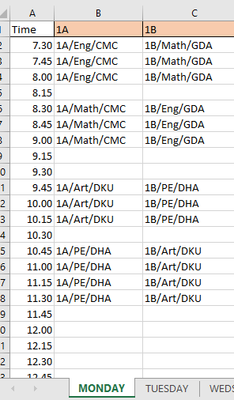

TMcIlroy Merely to demonstrate what's possible with Power Query (PQ), even though I don't consider myself an expert in that area yet. Have a look at the attached workbook. I mocked-up a schedule for one week and introduced some extra classes. By combining structured tables and PQ, this becomes totally flexible and dynamic, without the need for complicated formulae. Expand the daily tables downwards or towards the right and all should update automatically.
Once you understand the mechanics, it's quite easy to maintain. Though, you would have to invest some time in learning PQ.
In the attached example, go to the "TeacherSchedule" sheet, select a teacher code in B2. Then, on the Data ribbon press "Refresh All" (can also be automated) and the table gets updated almost instantly.
Note: The sheet "DayPlan and Teachers" contains a list of time slots (from 7:30 - 16:00) and a list of teacher codes. Adjust these to suit your actual situation.