Forum Discussion

Problems comparing dates
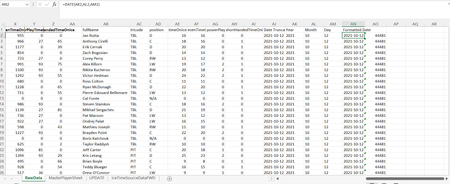

=FILTER(AB2:AH14,((AD2:AD14="C")+(AD2:AD14="RW")+(AD2:AD14="LW"))*(AN2:AN14>=AR2)*(AN2:AN14<=AR3))This formula seems to work in my spreadsheet. Start date and End date are in cells AR2 and AR3.

OliverScheurich Thank you for this. I notice that the date format you are using is DD.MM.YYYY. The function I am using has a format of DATE(YYYY,MM,DD). The date format must be a regional setting in Excel, but I wonder if it is contributing to my error.
- OliverScheurichFeb 23, 2022Gold Contributor
The reason for the NA error is most likely the different size of the arrays in your formula e.g. AC2:AC30752 and AN2:AN50000.
In my formula all arrays have the same size and it works perfectly.
=FILTER($AB$2:$AH$14;(($AD$2:$AD$14="C")+($AD$2:$AD$14="RW")+($AD$2:$AD$14="LW"))*($AN$2:$AN$14>=$AR$2)*($AN$2:$AN$14<=$AR$3)*($AC$2:$AC$14=AS2))
In my file i changed the format of the date and the FILTER formula still works as intended.