Forum Discussion

Dylan_Ward
Apr 12, 2023Copper Contributor
Printer issues upon opening a specific Excel file
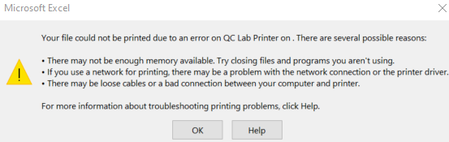
I have a colleague who sent me an Excel file that prompts an error each time I open it (Photo below). It does not allow me to even open the document until i select the printer which is connected to m...

NikolinoDE
Apr 13, 2023Platinum Contributor
One possible solution to this issue is to change the default printer to a printer that is always available, such as the XPS document writer or any PDF document printer.
This has resolved similar issues for other users.
Another option is to check if the file would open in safe mode because Excel will not look at any embedded printer formats.
You could also try stopping and starting the spoolsSV.exe service.
If these solutions do not work, it could be a driver issue with your printer.
I hope this helps!