Forum Discussion

_jboy
May 23, 2021Copper Contributor
print preview not matching original document
Hey guys, Not an expert in excel but I know my way around printing excel sheets however I've recently encountered a problem where the print preview is nothing like the original document every thin...
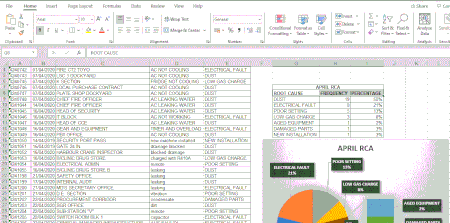
- May 23, 2021
If I may add my opinion too.
Believe that Patrck's PDF bypass can work around the problem.
But as it looks in the picture, it can be in the wrong print area.
Go to the page layout
Cancel print area
Select the print area in the worksheet
(select with the mouse button held down - area turns gray)
Go back to the page layout Pressure area Click on Select print area
Should work.
Greetings,
Nikolino
I know I don't know anything (Socrates)


HansVogelaar
May 23, 2021MVP
Click Page Setup. Has Print Quality been set to Draft?

_jboy
May 23, 2021Copper Contributor
Print Quality has only one option of 600dpi which is set at.
- HansVogelaarMay 23, 2021MVP
- _jboyMay 23, 2021Copper ContributorNo, it's unchecked.
- HansVogelaarMay 23, 2021MVP
I'm out of ideas, sorry.