Forum Discussion

Power Query losing Columns
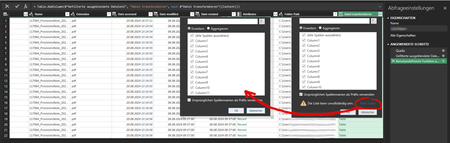
- Aug 20, 2024
In case of csv check Transform Sample File query, first step looks like
= Csv.Document(Parameter1,[Delimiter=";", Columns=10, Encoding=65001, QuoteStyle=QuoteStyle.None])Change Columns=10 on Columns=20 or like, i.e. max possible number of columns.
When in combined file remove all columns with no data. As variant that could be function which removes all empty rows and columns as
(Source as table) as table =>

let
    RemoveEmptyColumns = Table.SelectColumns(
        Source,
        List.Select(
            Table.ColumnNames(Source),
            each List.NonNullCount(Table.Column(Source,_)) <> 0
        )
    ),
    RemoveEmptyRows = Table.SelectRows(
        RemoveEmptyColumns,
        each not List.IsEmpty(List.RemoveMatchingItems( Record.FieldValues(_), {"", null} ) )
    )
in
    RemoveEmptyRows
Not sure about PDF, check the connector options if something similar.

In case of csv check Transform Sample File query, first step looks like
= Csv.Document(Parameter1,[Delimiter=";", Columns=10, Encoding=65001, QuoteStyle=QuoteStyle.None])Change Columns=10 on Columns=20 or like, i.e. max possible number of columns.
When in combined file remove all columns with no data. As variant that could be function which removes all empty rows and columns as
(Source as table) as table =>

let
    RemoveEmptyColumns = Table.SelectColumns(
        Source,
        List.Select(
            Table.ColumnNames(Source),
            each List.NonNullCount(Table.Column(Source,_)) <> 0
        )
    ),
    RemoveEmptyRows = Table.SelectRows(
        RemoveEmptyColumns,
        each not List.IsEmpty(List.RemoveMatchingItems( Record.FieldValues(_), {"", null} ) )
    )
in
    RemoveEmptyRows
Not sure about PDF, check the connector options if something similar.

Thank youSergeiBaklan for the reply, i will need some time until i am able to test around with it.
I just wanted to clarify that the PDF-case is working quite fine. I only encounter said problem on the CSV-case. Maybe I will encounter more problems in future, so i can specify when and how often it occurs.
- SergeiBaklanAug 20, 2024Diamond Contributor
That could be one more option with csv. You may use Columns=null
= Csv.Document(Parameter1,[Delimiter=",", Columns=null, Encoding=65001, QuoteStyle=QuoteStyle.None])If null it will will be taken actual number of columns for each file. However, you shall to adjust combining of the table in the resulting table
let // These are automatically generated steps Source = Folder.Files("C:\Test temp"), #"Removed Other Columns" = Table.SelectColumns(Source,{"Content"}), #"Filtered Hidden Files1" = Table.SelectRows(#"Removed Other Columns", each [Attributes]?[Hidden]? <> true), #"Invoke Custom Function1" = Table.AddColumn(#"Filtered Hidden Files1", "Transform File", each #"Transform File"([Content])), #"Removed Other Columns1" = Table.SelectColumns(#"Invoke Custom Function1", {"Transform File"}), // add this step to generate list of column names in all files names = List.Union( List.Transform( #"Removed Other Columns1"[Transform File], (q) => Table.ColumnNames(q) ) ), // on this step instead of column names for the sample file // use generated list of names as below #"Expanded Table Column1" = Table.ExpandTableColumn( #"Removed Other Columns1", "Transform File", //Table.ColumnNames(#"Transform File"(#"Sample File")) names ) in #"Expanded Table Column1"- Max_MustermannAug 21, 2024Tin Contributor
Hey SergeiBaklan, again thank you for the input. My first problem is that i don't know where to put the first part:
= Csv.Document(Parameter1,[Delimiter=",", Columns=null, Encoding=65001, QuoteStyle=QuoteStyle.None])
The rest became quite messy, as i had to partly translate it, as my office runs in german. It kinda seemed to work in the end - excluding the last step. But in the second last step "names" i already seen that power query fetched 12 columns again, meaning it catched one too few.
Maybe i already broke it with neglecting the first part? The error is being unable to convert a source csv into a table...
- SergeiBaklanAug 21, 2024Diamond Contributor
Please check queries in the attached file. It combines 3 csv files located in local folder c:\Test temp.
Or you work with SharePoint folder?