Forum Discussion

slohombre
May 21, 2020Brass Contributor
Power Query Column Transformation
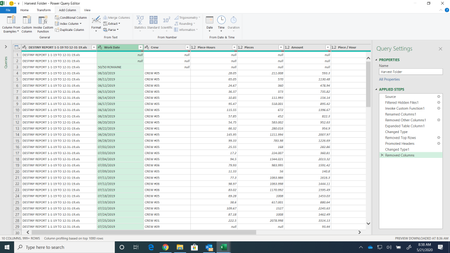
Hi, all. I am struggling to find a way to remove "50/50 Romaine" from the "Work Date" column and move that to another column (that I will label "Commodity"). Also - this data has several blocks of da...

SergeiBaklan
May 21, 2020Diamond Contributor
For such sample - duplicate the column and apply date format
We have errors where are texts. Now let add Commodity column using formula as
    #"Added Custom" = Table.AddColumn(
        #"Changed Type",
        "Commodity",
        each
            try
                if [#"Work Date - Copy"] = null
                then "!NULL!"
                else null
            otherwise [#"Work Date"]
    ),
Now fill it down, replace back !NULL! on null and remove temporary column
 slohombreMay 21, 2020Brass Contributor
SergeiBaklan Thank you! I duplicated the column and did get the errors where the text was formerly located. I am having trouble with the next step, I assume I use the "Custom Column" button for the formula. Could I get more basic instruction from you on the exact formula to put into the formula bar? Thanks for the help.
- SergeiBaklanMay 21, 2020Diamond Contributor
Sorry, I copy/pasted that from Advanced Editor since corrected formula here. If in Add Custom Column window it looks like
You may not care about formatting here and type everything in one string.