Forum Discussion

cschackle
Mar 27, 2022Copper Contributor
Populate same data in multiple different rows
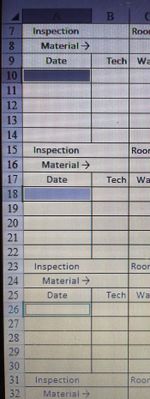
How do I auto-populate the same information in multiple different rows by only typing it into one box? I need the same date in all the highlighted rows but don't want to have to type out each and e...

kevingg
Mar 27, 2022Copper Contributor
Type the text and then drag the highlighting box by double-clicking on the bottom right corner. or just select the boxes below it and press Ctrl + D. You can find the detailed steps on this website https://enhau.com
 cschackleMar 27, 2022Copper Contributor
Column A, Row 10/18 & 24 all need to have the same date.
Column A, Row 11/19 & 25 will all have a different date.
The dates won't be consecutive. For example, one date will be 3/26/22 and then the box right below that would be 4/1/22. But in every box that the date is I need them to look the same as all the dates above. See attached picture.