Forum Discussion

DuyTan
Sep 22, 2021Copper Contributor
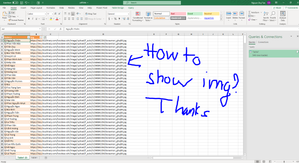
Please, I want to display image for column with content URL in excel.
I want to display image for column with content URL Hope the helping. thanks a lot.

DuyTan
Sep 22, 2021Copper Contributor
Good Idea
but i want the image to be in the cell, do you have a better solution?
but i want the image to be in the cell, do you have a better solution?

Juliano-Petrukio
Sep 22, 2021Bronze Contributor
As I told you, a frame is required.
There is no way you put a image inside a cell. You can put over a cell a frame (Shape, Image Control) or in excel backgroun (All the cells with one single image) . But theses objects are nightmare because if the user decides to change the column or the row size, it will make a mess on your layout. The best option is using a comment as image frame. The other solution is create a userform to show all pictures from the list or show an individual picture.
This is another type of approach and it depends of your project as well.
There is no way you put a image inside a cell. You can put over a cell a frame (Shape, Image Control) or in excel backgroun (All the cells with one single image) . But theses objects are nightmare because if the user decides to change the column or the row size, it will make a mess on your layout. The best option is using a comment as image frame. The other solution is create a userform to show all pictures from the list or show an individual picture.
This is another type of approach and it depends of your project as well.
- DuyTanSep 22, 2021Copper Contributor
I agree with you! i am having problem when i select column "avata". it does not display the image, the path is " [@[name.1]].avata " i want to show the image in this case, not the path