Forum Discussion

safoine
Nov 12, 2020Copper Contributor
please help
I want the date will not take place during vacations, public holidays and weekends.
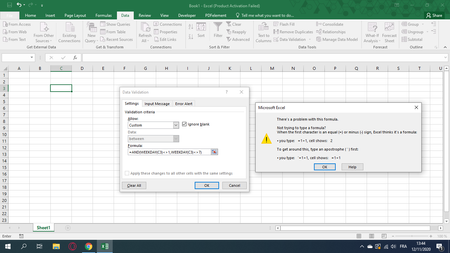
 Nov 12, 20201. Are you absolutely sure your computers language setting is US/English? In some other languages we use ; instead off, as separator
2. In some cases WEEKday starts from 0 instead of 1. Try the Weekday(C3) outside of "data validation"

Riny_van_Eekelen
Nov 12, 2020Platinum Contributor
safoine Perhaps your local settings require a semi-colon to separate arguments in formulae.
Try =AND(WEEKDAY(A2)<>1;WEEKDAY(A2)<>7)
Oooops: didn't see the previous post until I posted mine.

safoine
Nov 12, 2020Copper Contributor
Hello Riny_van_Eekelen
thank you a lot it's working
do you have any formula to make the date will not take place during vacations, public holidays and weekends please ?
i create two liste public holidays and vacations.