Forum Discussion

safoine
Nov 12, 2020Copper Contributor
please help
I want the date will not take place during vacations, public holidays and weekends.
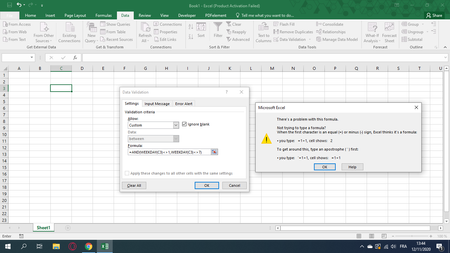
 Nov 12, 20201. Are you absolutely sure your computers language setting is US/English? In some other languages we use ; instead off, as separator
2. In some cases WEEKday starts from 0 instead of 1. Try the Weekday(C3) outside of "data validation"
MindreVetande
Nov 12, 2020Iron Contributor
saturday/sunday
=C3=(WORKDAY(C3-1,1))
=C3=(WORKDAY.INTL(C3-1,1))
With holidays and vacations in a list on the sheet:
MyHolidaySheet!$A$1:$A$17
=C3=(WORKDAY(C3-1,1,MyHolidaySheet!$A$1:$A$17))
=C3=(WORKDAY.INTL(C3-1,1,,MyHolidaySheet!$A$1:$A$17))
I'm not sure about the difference between WORKDAY and WORKDAY.INTL.
WORKDAY might pick up "ordinary" bank-holidays in a US system. It does not with my regional settings.
Try

safoine
Nov 12, 2020Copper Contributor