Forum Discussion

Pivot table option issues in MS office 365
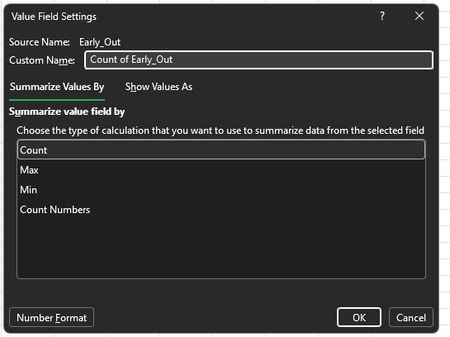

The PivotTable is probably treating Late Hours and Extension Hours as text rather than numeric time. Excel uses Sum for numeric fields but switches to Count when a source column contains text, blanks, or Boolean values. Test several source entries with =ISNUMBER(cell). If any return FALSE, create helper columns that convert imported text to real Excel time values, remove stray spaces, and replace errors only after checking the source. Format the helpers as [h]:mm so totals can exceed 24 hours. Refresh the PivotTable, remove the original hour fields, add the helper fields to Values, then open Value Field Settings and choose Summarize Values By > Sum. Apply [h]:mm to the PivotTable values too. If Sum remains unavailable, confirm whether the PivotTable uses an OLAP or external model, where aggregation may be defined by the source. Also verify that its source range includes every new row before refreshing.