Forum Discussion

Pivot table in power query,
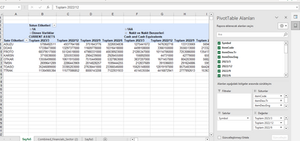
- Jul 24, 2023
Afraid not. Power Query works with tables which, returned to the grid, are structured table. Such table has fixed number of columns which are not collapsed/expanded (and partly filtered) as in PivotTable.
You may play with Power Query to return structured table in more suitable way, but in any case that won't be repeating of PivotTable with few fields in Columns.

Sorry, but question is not clear, at least for me.
You may Power Query source data, transform it, load result to data model and build PivotTable from data model. Better with help of DAX if only you are not on Mac.
You may Power Query source data, include pivoting of data in transformation if necessary and return result as structured table into the grid.
It could be the combination. Finally, what exactly is required?

SergeiBaklan
I downloaded it as "pivot table report" it would be 1 page instead of 2.
I have a problem like this.
I am currently renewing with these codes.
Private Sub CommandButton1_DblClick(ByVal Cancel As MSForms.ReturnBoolean)

Sheets("Combined_Financials").Range("Combined_Financials_Sector").ListObject.QueryTable.Refresh BackgroundQuery:=True
Sheets("Symbols_Price").Range("Combined_Price_Sector").ListObject.QueryTable.Refresh BackgroundQuery:=True
End Sub
How do I refresh the "Combined_Financials_Sector" in the background.