Forum Discussion

Nat_Pearce
Apr 05, 2021Copper Contributor
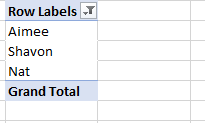
Pivot Table help to show dates next to names with Grand total (i.e Aimee 4/2/2021)
How do I have the dates show next to the names with the total number next to date and have Grand Total for all?

Nat_Pearce
Apr 05, 2021Copper Contributor
Nat_Pearce
Apr 05, 2021Copper Contributor
SergeiBaklan How do I send you a file? It won't allow me to attach.
- SergeiBaklanApr 06, 2021Diamond Contributor
You may use such DAX measure
This Date:=IF (
    HASONEVALUE ( Range[UWC] ),
    CONCATENATEX (
        VALUES ( Range[Date] ),
        FORMAT ( Range[Date], "mm/dd/yyyy" ),
        "; ",
        Range[Date]
    ),
    ""
)
to have result as
Please check attached.
- Nat_PearceApr 06, 2021Copper ContributorOnly show one date.
- SergeiBaklanApr 06, 2021Diamond Contributor
If like this
shall we show only one date in This Date; or don't show them at all and use only slicer; or repeat the date as above?
- Nat_PearceApr 06, 2021Copper ContributorI would like it to filter and count each date string. In the file, if I clicked on the filter icon next to Row Labels, it should show each date string in April and under it list the dates that I can select which one or select all: 4/1/2021; 4/2/2021; etc. to show next to the names.
- SergeiBaklanApr 06, 2021Diamond Contributor
Got it, thank you. Based on sample variant, could you please clarify which variant of filtering do you need. And shall we repeat each date in the string, e.g. "04-01-2021; 04-01-2021; 04-01-2021; 05-02-2021" or just "04-01-2021; 05-02-2021"
- Nat_PearceApr 06, 2021Copper Contributor
SergeiBaklan Ok, I figured it out. I needed to use a different browser to attach the file. Here you go!
- Nat_PearceApr 06, 2021Copper ContributorI'm not seeing that option on my end.
- SergeiBaklanApr 05, 2021Diamond Contributor
