Forum Discussion

Pivot Table Elements

HelloSings4Fun,
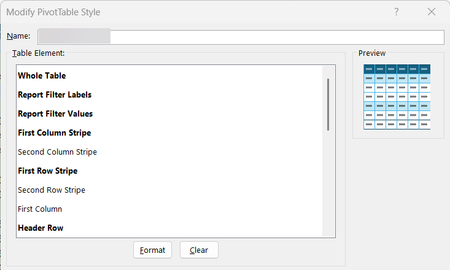
Microsoft documentation confirms that PivotTable styles are made up of individual Table Style Elements that control formatting for specific parts of the table. Common elements include Whole Table, Header Row, Total Row, First Column, Last Column, Row Stripe, Column Stripe, Row Subheading levels, Column Subheading levels, Data Cells, Blank Rows, and Subtotal Elements. Row Subheading 2 colors the entire row across all columns because it formats the full row level. For reference see Microsoft links https://support.microsoft.com/en-gb/office/change-the-style-of-your-pivottable-dc5c31fc-3e85-410a-880d-9f164c3dd92c https://support.microsoft.com/en-au/office/design-the-layout-and-format-of-a-pivottable-a9600265-95bf-4900-868e-641133c05a80 https://learn.microsoft.com/en-us/office/vba/api/excel.tablestyleelements https://learn.microsoft.com/en-us/office/vba/api/excel.xltablestyleelementtype

I appreciate your response, but you didn't answer my question. I would like a list of all of the various elements and what pertains to each one. I can already figure out the more obvious ones, but some of them do things that I didn't intend and I cannot figure out how to get my design to look the way I desire. Any additional information anyone can provide that lists each element and what the format for that element will do would be greatly appreciated!