Forum Discussion

Pie Chart Best Fit Labels Overlapping - VBA Fix
Morning Forums,
I am looking for a VBA that can automatically adjust the positions of the best fit data labels such that they are not overlapping on a pie chart. Right now, I have to adjust them manually and it's a real pain. Sometimes they all move around when I move one, or the leader lines will disappear... just a lot of annoyances.
The bigger issue is that I have 30 data points which is why the chart is so crowded. So, if there is a VBA that was able to check and delete the 0s (blanks) that would be even better. Then the graph likely wouldn't have overlaps.
Hi CWTocci
I hope you are doing well.
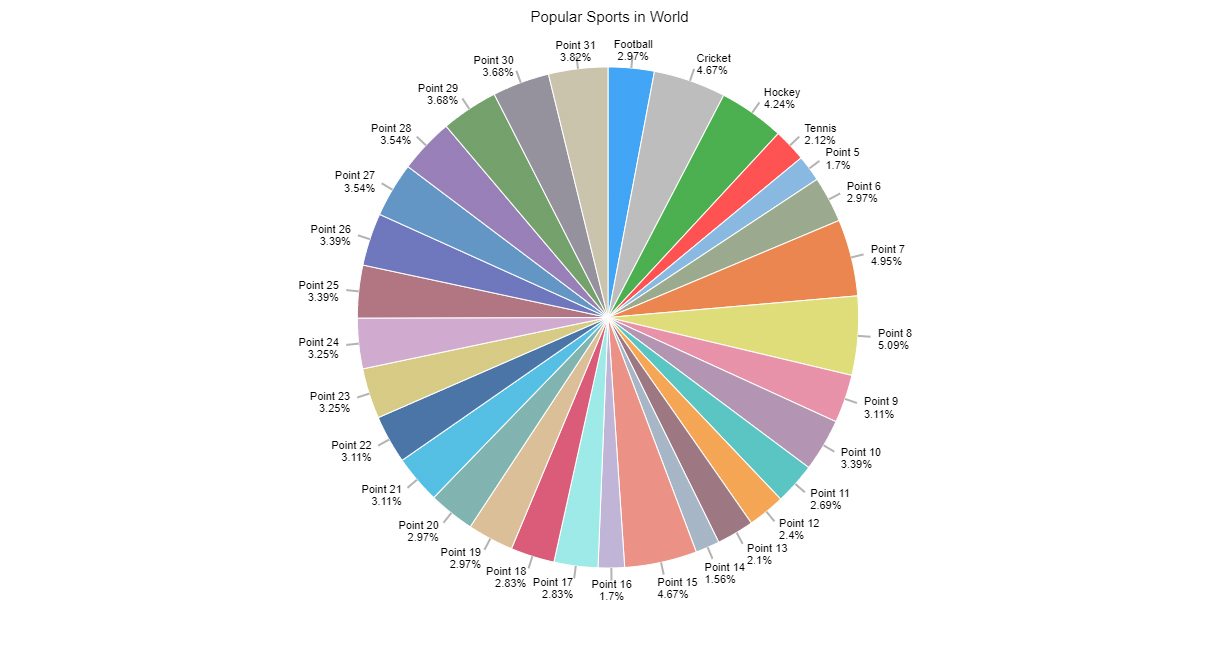
I created attached Pie chart in Excel with 31 points and all labels are readable and perfectly placed.
It is created from few clicks without VBA using data visualization tool in Excel.
https://chartexpo.com/utmAction/MTErTVRDK3hsK1NCK01TT0ZUQ01UKwo=
https://chartexpo.com/utmAction/MTErTVRDK2dzK1NCK01TT0ZUQ01UKw==It has auto cluttering effect to adjust according to your data size.
I hope it will be helpful for you.
All the best!
3 Replies
 ShozabBrass Contributor
Hi CWTocci
I hope you are doing well.
I created attached Pie chart in Excel with 31 points and all labels are readable and perfectly placed.
It is created from few clicks without VBA using data visualization tool in Excel.
https://chartexpo.com/utmAction/MTErTVRDK3hsK1NCK01TT0ZUQ01UKwo=
https://chartexpo.com/utmAction/MTErTVRDK2dzK1NCK01TT0ZUQ01UKw==It has auto cluttering effect to adjust according to your data size.
I hope it will be helpful for you.
All the best! CWTocciCopper Contributor
Thank You!
- Riny_van_EekelenPlatinum ContributorThe best advice I can give is not to use a pie-chart to begin with. Especially not if you have so many data points.