Forum Discussion

personal.xlsb does not work with exported file
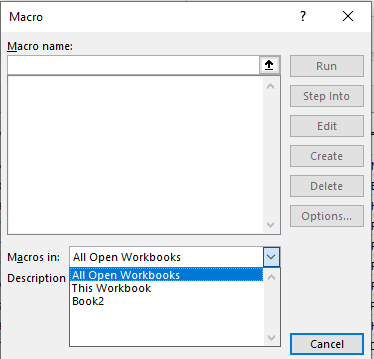

Update to add:
Even though the macro doesn't appear as an option in the Macros dialog box, I tried using the shortcut I had made for it from the ribbon. Then I got this message, and choosing "Enable" then allowed me to run the macro.
But for the life of me, I can't find what it is actually changing when I do this. The options here under Advanced look the same before and after. I tried every suggestion I could find on Google to enable automatic update of links, but nothing worked, apart from using the dialogue box above.
What I find curious is, if I export to Excel directly from my program, this is what happens. But if export as an excel doc to save to my computer (or as an email attachment), and then open it, the macro works fine. I have this work around now, but it drives me crazy not knowing why.
- JKPieterseOct 03, 2024Silver ContributorIf you happen to have regular Excel add-ins checked (like the Analysis Toolpak), do they load when you are in the situation where your personal.xlsb macros are missing?
If you open the VBA Editor, which projects are there?
