Forum Discussion

Parsing Text usng Power Query
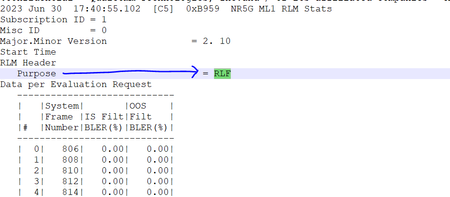

Perhaps like in the attached file. Change the Source step in the first query to point at the file location on your own system,

Thank you very much Riny_van_Eekelen , yes this is the one which I wanted, but is it possible for you to explain these steps please.
Step-1: What do these steps do?
Step-2: When we reach to the RLF Query , what's the source here?
May , I ask if it's possible for you to make some kind of Video on how you achieved this with the steps you followed?
Thanks in Advance,
Br,
Anupam
- Riny_van_EekelenJul 02, 2023Platinum Contributor
Re 1) I guessed that you perhaps needed to keep track of the time stamp and not only the purpose. So the first added column checks of the text starts with "2023". If so, return that field otherwise null. The second added column looks for if the text contains " Purpose ". If so, return that field otherwise null.
When that is done, you can fill down both these added columns. After that, it splitting, filtering, extracting and some cleaning up. Not very complicated and all achieved by clicking in the user interface.
Re 2) the Source is a reference to the initial query as written in the formula bar. In your case you duplicated mine (hence, the " (2)" added to the query name) and you must have created the reference yourself.
And sorry but no, I'm not doing videos to explain it in any more detail. It's all very basic. Perhaps you can learn more about he basics from the web-site in the link below.
- anupambit1797Jul 03, 2023Steel Contributor