Forum Discussion

Opening Excel document from Sharepoint creates a second window
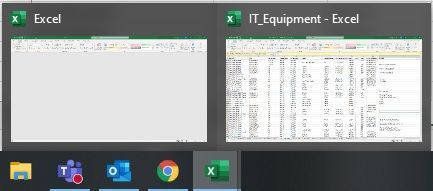

NikolinoDE I'm wondering if your problem was resolved? I'm having the same issue with an Excel file. It just started a couple of weeks ago. I open a file from SharePoint and two copies open. A change that is made in one is reflected immediately in the other. How do I solve this?

Are the files in OneDrive?
... that is more suitable for personal use, in my humble opinion.
Or are your files in SharePoint Online?
... is more suitable for a team with several employees.
Operating system?
Control when external references (links) are updated
you find.....
Control links to other workbooks
Manually update all or none of the links in a workbook
Manually update only some of the links to other workbooks
Change the source workbook of one external reference without affecting other external references in the destination workbook
Control the startup prompt for updating links
Edit Link options
Frequently Asked Questions
Thank you for your understanding and patience
Nikolino
I know I don't know anything (Socrates)
* Kindly Mark and Vote this reply if it helps please, as it will be beneficial to more Community members reading here
- jhoeppnerApr 08, 2021Tin ContributorNikolinoDE
The problem magically solved itself yesterday. The file was stored in SharePoint. I opened it yesterday, closed the one copy and started editing. After saving and reopening, it only opened the one copy. No idea what that was all about.- NikolinoDEApr 08, 2021Platinum ContributorIf it works, it works ... Murphy's Law 🙂
I hope you continue to have fun with Excel.