Forum Discussion

Number format issue

Hi West,
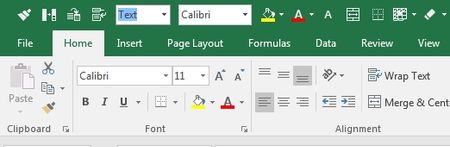
In 2016 is the same - you may add Number Format as 5th or whatever button, press Alt+5, and you'll be on General format by default, just press Enter. Or you may start typing format name "g"will stay on General, "a" moves you on Accounting, etc. No mouse click is required.
I report this because I can't. I think it a bug or it just happens in my Excel? :(
When I try to alt+5 select number format list and type "g" several times, it shows this window. Does it relate to my setting?
- SergeiBaklanJul 12, 2017Diamond Contributor
Hi West,
Looks strange. If you click by mouse on your Number Format button do you see something like this:
And do you sure nothing is assigned on Alt+5 in your environment? If you try to place this button let say on 10th position in Quick Access bar and press Alt+10 will it be the same?