Forum Discussion

No funciona una fórmula
- May 27, 2021
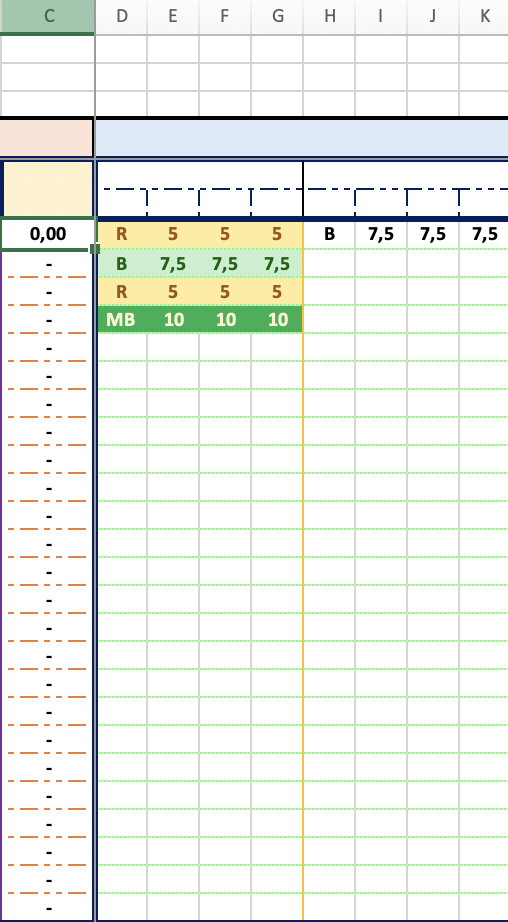
Thank you! The problem is caused by the formulas in columns E:F, I:K and M:O.
For example in E7:
=SI.ERROR(SI(D7="MB";"10";SI(D7="B";"7,5";SI(D7="R";"5";SI(D7="M";"2,5";" "))));"")
The return values "10", "7,5" etc. are text because of the " ", not numbers! PROMEDIO ignores text values. It should be
=SI.ERROR(SI(D7="MB";10;SI(D7="B";7,5;SI(D7="R";5;SI(D7="M";2,5;""))));"")
See the attached version.

What is the formula?

En la columna C tengo una fórmula de promedio. En la otras tres tengo una fórmula de =SI(, respecto a la columna D.
- HansVogelaarMay 26, 2021MVP
OK, but what is the formula in column C?
- MAIFG3May 26, 2021Copper Contributor=SI.ERROR(PROMEDIO(SUMA(E7:G7;I7:K7;M7:O7;Q7:S7;U7:W7;Y7:AA7;AC7:AE7;AG7:AI7));"-")
- HansVogelaarMay 26, 2021MVP
SUMA(E7:G7;I7:K7;M7:O7;Q7:S7;U7:W7;Y7:AA7;AC7:AE7;AG7:AI7) returns a single value. There is no point in using PROMEDIO on a single number.
Does this do what you want?
=SI.ERROR(PROMEDIO(E7:G7;I7:K7;M7:O7;Q7:S7;U7:W7;Y7:AA7;AC7:AE7;AG7:AI7);"-")