Forum Discussion

carvalhas
Mar 27, 2020Copper Contributor
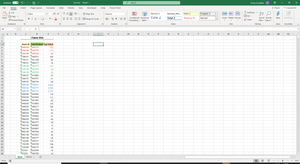
Need to transpose the vertical data to horizontal for an ID fix list using excel or VBA
I have a sheet called "Sales", where I have my data in a Table, the first column of the table has the "ID Store", the second the "Top product" and the third the "Sales values". I need to put this dat...
- Mar 28, 2020
In attached file is variant wit Power Query. As the source named range with 3 columns in Sales sheet.
let
    Source = Excel.CurrentWorkbook(),
    FiltereRange = Table.SelectRows(Source, each ([Name] = "SourceData")),
    SourceData = FiltereRange{[Name="SourceData"]}[Content],
    FindFirstRow = List.PositionOf(SourceData[Column1],"Store ID"),
    RemoveTopRows = Table.Skip(SourceData,FindFirstRow),
    PromoteHeaders = Table.PromoteHeaders(RemoveTopRows, [PromoteAllScalars=true]),
    ChangeTypeForData = Table.TransformColumnTypes(
        PromoteHeaders,
        {
            {"Store ID", Int64.Type},
            {"Top Product", type text},
            {"Top Value", type number}
        }
    ),
    GroupeByStore = Table.Group(
        ChangeTypeForData,
        {"Store ID"},
        {
            {"Product", each Table.Sort(_,{{"Top Value",Order.Descending}})[Top Product]},
            {"Value", each Table.Sort(_,{{"Top Value",Order.Descending}})[Top Value]}
        }
    ),


    FilterNoStore = Table.SelectRows(GroupeByStore, each ([Store ID] <> null)),

    Separators = Table.AddColumn(FilterNoStore, "Custom", each List.Count([Product])),
    CalculateMaximum = List.Max(Separators[Custom]),
    TopProducts = List.Transform({1..List.Max(Separators[Custom])},each "Top Product " & Text.From(_)),
    TopValues = List.Transform({1..List.Max(Separators[Custom])},each "Top Value " & Text.From(_)),


    ExtractProducts = Table.TransformColumns(
        FilterNoStore,
        {"Product", each Text.Combine(List.Transform(_, Text.From), ","), type text}
    ),
    ExtractValues = Table.TransformColumns(
        ExtractProducts,
        {"Value", each Text.Combine(List.Transform(_, Text.From), ","), type text}
    ),
    SplitProducts = Table.SplitColumn(
        ExtractValues,
        "Product",
        Splitter.SplitTextByDelimiter(",", QuoteStyle.Csv), TopProducts
    ),
    SplitValues = Table.SplitColumn(
        SplitProducts,
        "Value",
        Splitter.SplitTextByDelimiter(",", QuoteStyle.Csv), TopValues
    ),
    ValuesToNumbers = Table.TransformColumnTypes(
        SplitValues,
        List.Transform(TopValues, each {_, type number})
    )

in
    ValuesToNumbers

SergeiBaklan
Mar 28, 2020Diamond Contributor
In attached file is variant wit Power Query. As the source named range with 3 columns in Sales sheet.
let
    Source = Excel.CurrentWorkbook(),
    FiltereRange = Table.SelectRows(Source, each ([Name] = "SourceData")),
    SourceData = FiltereRange{[Name="SourceData"]}[Content],
    FindFirstRow = List.PositionOf(SourceData[Column1],"Store ID"),
    RemoveTopRows = Table.Skip(SourceData,FindFirstRow),
    PromoteHeaders = Table.PromoteHeaders(RemoveTopRows, [PromoteAllScalars=true]),
    ChangeTypeForData = Table.TransformColumnTypes(
        PromoteHeaders,
        {
            {"Store ID", Int64.Type},
            {"Top Product", type text},
            {"Top Value", type number}
        }
    ),
    GroupeByStore = Table.Group(
        ChangeTypeForData,
        {"Store ID"},
        {
            {"Product", each Table.Sort(_,{{"Top Value",Order.Descending}})[Top Product]},
            {"Value", each Table.Sort(_,{{"Top Value",Order.Descending}})[Top Value]}
        }
    ),


    FilterNoStore = Table.SelectRows(GroupeByStore, each ([Store ID] <> null)),

    Separators = Table.AddColumn(FilterNoStore, "Custom", each List.Count([Product])),
    CalculateMaximum = List.Max(Separators[Custom]),
    TopProducts = List.Transform({1..List.Max(Separators[Custom])},each "Top Product " & Text.From(_)),
    TopValues = List.Transform({1..List.Max(Separators[Custom])},each "Top Value " & Text.From(_)),


    ExtractProducts = Table.TransformColumns(
        FilterNoStore,
        {"Product", each Text.Combine(List.Transform(_, Text.From), ","), type text}
    ),
    ExtractValues = Table.TransformColumns(
        ExtractProducts,
        {"Value", each Text.Combine(List.Transform(_, Text.From), ","), type text}
    ),
    SplitProducts = Table.SplitColumn(
        ExtractValues,
        "Product",
        Splitter.SplitTextByDelimiter(",", QuoteStyle.Csv), TopProducts
    ),
    SplitValues = Table.SplitColumn(
        SplitProducts,
        "Value",
        Splitter.SplitTextByDelimiter(",", QuoteStyle.Csv), TopValues
    ),
    ValuesToNumbers = Table.TransformColumnTypes(
        SplitValues,
        List.Transform(TopValues, each {_, type number})
    )

in
ValuesToNumbers carvalhasMar 28, 2020Copper ContributorHi Sergei Baklan,
You resolve my problem, I'm going to try to learn how you did it.
Thank you
Carvalhas