Forum Discussion

Rhyme1996
Apr 15, 2021Copper Contributor
Need to create PivotTable by year
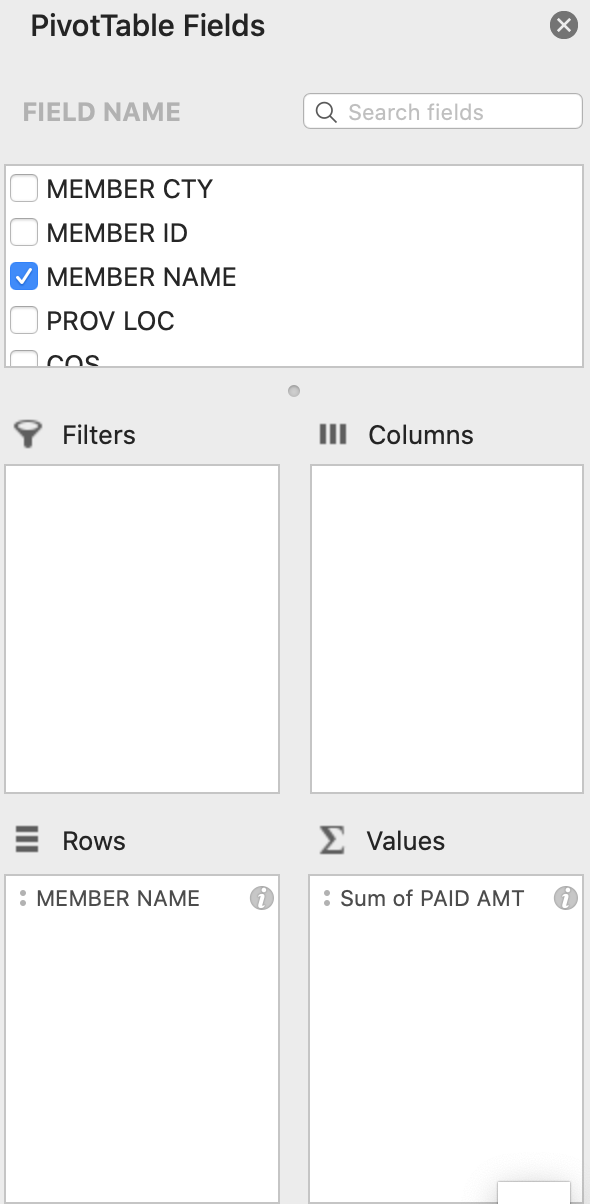
I have a huge worksheet with 972K of rows. I need to create: Pivottable with year(s) as columns (from 2008 to 2017). I have attached a screen shot of current setting In addition to # 1, I need ...

Rhyme1996
Apr 16, 2021Copper Contributor
I downloaded Kutools for Excel and it helped 13 workbooks into a master worksheet (total of 972 rows) in 1 minutes. It also has a feature for PivotTable Special Time Grouping (Year, Month, Day, time etc.) that I used to set up PivotTable by Year.
The only thing I need help is in "filtering" select names out of 2K names. I know how to use it in lists but still trying figure out how to do it in PivotTable
The only thing I need help is in "filtering" select names out of 2K names. I know how to use it in lists but still trying figure out how to do it in PivotTable

Riny_van_Eekelen
Apr 16, 2021Platinum Contributor
Rhyme1996 Not sure. You say you have a pivot table containing thousands of names and you only want to filter out a few thousands. I assume you don't want to click on every name in the Pivot Table filter box. Not even sure how many names you can have there.
Would you have a list of the names to filter out? Then you could connect to the data with Power Query (a free tool in Excel for Windows) and create a sub-set on which you can then create a pivot table. But then again, I'm not sure what you are after.
- Rhyme1996Apr 16, 2021Copper ContributorThanks. I am going to try Power Query. I have over 2K names and I have created one set of PivotTables with ALL names. I have to create another set of the same PivotTables, albeit with about 120 names out of 2K names.