Forum Discussion

Militus
Dec 30, 2023Copper Contributor
multiple if scenarios
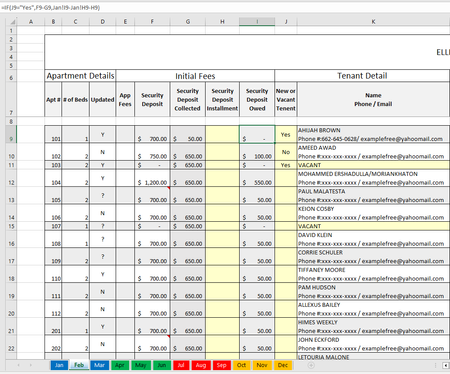
How can I formulate the following 3 scenarios: Assuming j9 cannot be yes if k9 is vacant AND my current tab is "Feb" and previous tab is "Jan", how do I formulate the following: if k9 = "VA...
- Dec 31, 2023
My apologies, I forgot a double quote.
=IF(K9="VACANT", "", IF(J9="Yes", F9-G9, IF(J9="No", Jan!I9-H9, "")))

HansVogelaar
Dec 30, 2023MVP
 MilitusDec 30, 2023Copper ContributorThanks. I'm getting an error though: "there's a problem with the formula. Not trying to type a formula", etc.
=IF(K9="VACANT, "", IF(J9="Yes", F9-G9, IF(J9="No", Jan!I9-H9, "")))- HansVogelaarDec 31, 2023MVP
My apologies, I forgot a double quote.
=IF(K9="VACANT", "", IF(J9="Yes", F9-G9, IF(J9="No", Jan!I9-H9, "")))
- MilitusDec 31, 2023Copper ContributorWow, I missed that too. Worked like a charm! Thank you!!