Forum Discussion

Multiple Criteria

=CHOOSE(IF($A2=1234,1,IF($A2=5678,2,IF($A2=9012,3,IF($A2=3456,4,IF($A2=7890,5))))),IF(NOT(ISNA(VLOOKUP(F$1,'Audit Sheets'!$B$11:$E$31,4,FALSE))),VLOOKUP(F$1,'Audit Sheets'!$B$11:$E$31,4,FALSE),VLOOKUP(F$1,'Audit Sheets'!$I$11:$L$31,4,FALSE)),,IF(NOT(ISNA(VLOOKUP(F$1,'Audit Sheets'!$B$49:$E$69,4,FALSE))),VLOOKUP(F$1,'Audit Sheets'!$B$49:$E$69,4,FALSE),VLOOKUP(F$1,'Audit Sheets'!$I$49:$L$69,4,FALSE)),,IF(NOT(ISNA(VLOOKUP(F$1,'Audit Sheets'!$B$87:$E$107,4,FALSE))),VLOOKUP(F$1,'Audit Sheets'!$B$87:$E$107,4,FALSE),VLOOKUP(F$1,'Audit Sheets'!$I$87:$L$107,4,FALSE)))Maybe with this formula which seems to work in the attached file. However there has to be an easier solution.

- OliverScheurichApr 15, 2022Gold Contributor
=IF(NOT(ISNA(VLOOKUP(F$1,OFFSET('Audit Sheets'!$G$3,MATCH('Voice Stats by Start Groups'!$A2,'Audit Sheets'!$G$3:$G$79,0)+7,-5,21,4),4,FALSE))),VLOOKUP(F$1,OFFSET('Audit Sheets'!$G$3,MATCH('Voice Stats by Start Groups'!$A2,'Audit Sheets'!$G$3:$G$79,0)+7,-5,21,4),4,FALSE),VLOOKUP(F$1,OFFSET('Audit Sheets'!$G$3,MATCH('Voice Stats by Start Groups'!$A2,'Audit Sheets'!$G$3:$G$79,0)+7,2,21,4),4,FALSE))OFFSET is probably the best choice to do this. The OFFSET formula is easier and the other formula uses CHOOSE which is limited to 254 values as far as i know.
- catherine9910Apr 19, 2022Brass Contributor
OliverScheurich I have another part that I need help with. I am not quite good enough to understand your formula to adjust it to what I need. I have what I need help with on the Auditor Sheets tab. Thank you.
- OliverScheurichApr 20, 2022Gold Contributor
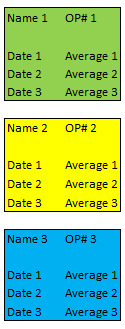
=AVERAGEIFS(AE4:AJ4,AE4:AJ4,">"&0)*You can try this formula to calculate the average for all cells with values greater than zero. The formula is in cell AK4 of the "Audit Sheets". I had to adjust the layout of the data to apply this formula.
=AVERAGE(OFFSET('Audit Sheets'!$G$3,MATCH(R4,'Audit Sheets'!$G$3:$G$79,0)+12,-2,1,1),OFFSET('Audit Sheets'!$G$3,MATCH(R4,'Audit Sheets'!$G$3:$G$79,0)+20,-2,1,1),OFFSET('Audit Sheets'!$G$3,MATCH(R4,'Audit Sheets'!$G$3:$G$79,0)+28,-2,1,1),OFFSET('Audit Sheets'!$G$3,MATCH(R4,'Audit Sheets'!$G$3:$G$79,0)+12,5,1,1),OFFSET('Audit Sheets'!$G$3,MATCH(R4,'Audit Sheets'!$G$3:$G$79,0)+20,5,1,1),OFFSET('Audit Sheets'!$G$3,MATCH(R4,'Audit Sheets'!$G$3:$G$79,0)+28,5,1,1))**You can try this formula (which is in cell S4 of the "Audit Sheets") to automatically caluculate the average for every employee. In order to complete the chart you can add the remaining employee numbers in range R7:R1200 and copy the formula across the range S4:S1200.