Forum Discussion

MISSING FUNCTIONS THAT I PREVIOUSLY HAD ACCESS TO
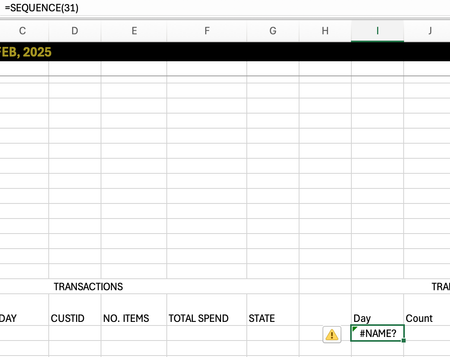

That #NAME? error is very revealing! It confirms that Excel on your new Mac literally doesn't recognize the SEQUENCE function yet, even though you typed it perfectly.
This is a classic licensing/activation glitch that happens when moving between Macs. Your subscription is fine I think, but the "Dynamic Array" feature module hasn't been unlocked on this machine yet.
Let's try the "Duplicate App" fix first (it works for this exact error):
- Quit Excel completely (Cmd+Q).
- Go to Finder > Applications.
- Right-click Microsoft Excel.app and select Duplicate.
- Open the new "Microsoft Excel copy.app".
This usually forces the system to re-verify your license and instantly fixes the #NAME? error.
If that doesn't work:
Go to Excel > Check for Updates and install everything, then restart your Mac.
Need to work right now?
While we fix this, you can generate a sequence of 1-31 in column I using this old-school trick:
- Type 1 in cell I2.
- In cell I3, type =I2+1 and drag it down to row 32.
My answers are voluntary and without guarantee!
Hope this will help you.