Forum Discussion

minimized ribbon not consistent

Try this snippet instead. I've added in a DoEvents statement:
Private Sub Workbook_Open()

    If Application.CommandBars("Ribbon").Height >= 100 Then
        SendKeys "^{F1}", False
        DoEvents
    End If
    Application.CommandBars("ply").Enabled = False
    Application.DisplayFormulaBar = False

End Sub

below is the full script of the workbook_open event,
maybe there is something wrong with it....
many thanks
Private Sub Workbook_Open()
If Application.CommandBars("Ribbon").Height >= 100 Then
SendKeys "^{F1}"
End If
Application.CommandBars("ply").Enabled = False
Application.DisplayFormulaBar = False
Application.OnKey "{F1}", ""
Application.OnKey "{F3}", ""
Application.OnKey "{F4}", ""
Application.OnKey "{F5}", ""
Application.OnKey "{F6}", ""
Application.OnKey "{F7}", ""
Application.OnKey "{F8}", ""
Application.OnKey "{F10}", ""
Application.OnKey "{F11}", ""
Dim LastRow As Long
With ActiveSheet
LastRow = .Cells(.Rows.Count, "A").End(xlUp).Row
End With
Range("A" & LastRow + 1).Select
End Sub
- Lorenzo KimJun 13, 2018Bronze ContributorI inserted the script DoEvents - but to no avail.....
- Matt MickleJun 13, 2018Bronze Contributor
First try this code by itself:
Private Sub Workbook_Activate()

    Dim LastRow As Long


        If Application.CommandBars("Ribbon").Height >= 100 Then
            SendKeys "^{F1}", False
            DoEvents
            blnOpen = True
            Application.CommandBars("ply").Enabled = False
            Application.DisplayFormulaBar = False
            Application.OnKey "{F1}", ""
            Application.OnKey "{F3}", ""
            Application.OnKey "{F4}", ""
            Application.OnKey "{F5}", ""
            Application.OnKey "{F6}", ""
            Application.OnKey "{F7}", ""
            Application.OnKey "{F8}", ""
            Application.OnKey "{F10}", ""
            Application.OnKey "{F11}", ""
            With ActiveSheet
                LastRow = .Cells(.Rows.Count, "A").End(xlUp).Row
                .Range("A" & LastRow + 1).Select
            End With
        End If

End Sub
If it doesn't work then try this instead:
Try putting this code in the ThisWorkbook Module:
Private Sub Workbook_Activate()

    Dim LastRow As Long

    If blnOpen = False Then
        If Application.CommandBars("Ribbon").Height >= 100 Then
            SendKeys "^{F1}", False
            DoEvents
            blnOpen = True
            Application.CommandBars("ply").Enabled = False
            Application.DisplayFormulaBar = False
            Application.OnKey "{F1}", ""
            Application.OnKey "{F3}", ""
            Application.OnKey "{F4}", ""
            Application.OnKey "{F5}", ""
            Application.OnKey "{F6}", ""
            Application.OnKey "{F7}", ""
            Application.OnKey "{F8}", ""
            Application.OnKey "{F10}", ""
            Application.OnKey "{F11}", ""
            With ActiveSheet
                LastRow = .Cells(.Rows.Count, "A").End(xlUp).Row
                .Range("A" & LastRow + 1).Select
            End With
        End If
    End If
End Sub
And this code in a Normal Code Module:
Public blnOpen As Boolean
I can't reproduce the issue...what scenario does it not work in? Is there other code running...
Best I can guess is when you disable the F1 key with
Application.OnKey "{F1}", ""it messes up the macro
1. Do you have other workbooks open when it doesn't work?
2. Does the code work when you only have one workbook open?
You may want to take a look at this documentation:
https://www.rondebruin.nl/win/s4/win012.htm
You may try assigning a macro to the OnKey "^{F1}"
- Lorenzo KimJun 13, 2018Bronze Contributor
Mr. Mickle
Thank you for your reply.
I have tried your latest code - but still the same.
There is no other workbook opened.
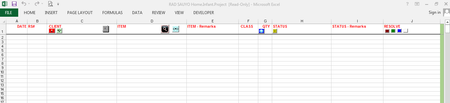
This is what is happening, when I open the workbook (say, the ribbon is minimized) and I view the ribbon then "pinned it" (see below image), the moment I exited (without minimizing the ribbon) and re-open the workbook, the ribbon just stayed there, I have to click the "^" sign to do it; and that's the only time it will stay minimized when re-opened. (whew).. I hope you're getting this.
incidentally, if needed, where should I paste the ff (in what module and where or maybe how):
Public blnOpen As Boolean
many thanks