Forum Discussion

Lorenzo Kim
Jun 13, 2018Bronze Contributor
minimized ribbon not consistent
In the workbook_open, I inserted the codes below to minmize the ribbon, but sometimes it isn't doing it. there might be something wrong with the codes below many thanks If Application.CommandB...

Matt Mickle
Jun 13, 2018Bronze Contributor
Hey Lorenzo-
Hope you're doing well. Nice to see you on the forum again. Try using this code to minimize the ribbon:
Private Sub Workbook_Open()

  On Error GoTo ErrHandler:
    Application.ExecuteExcel4Macro "Show.ToolBar(""Ribbon"",False)"
    Application.DisplayFormulaBar = False
ErrHandler:
    If Err.Number > 0 Then _
        MsgBox Err.Description, vbMsgBoxHelpButton, strMsgBox, Err.HelpFile, Err.HelpContext
    On Error GoTo 0

End Sub
- Lorenzo KimJun 13, 2018Bronze Contributor
Mr Mickle,
Thank you for taking time out to answer my query.
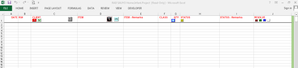
below is what I want for my worksheet page to look like:
there is still some lines above showing.. this is what my code does, only that it sometimes doesn't!
the code you provided is a little "too minimized", as below:
maybe a little more tweaking....
many many thanks
- Matt MickleJun 14, 2018Bronze Contributor
Try this snippet instead. I've added in a DoEvents statement:
Private Sub Workbook_Open() If Application.CommandBars("Ribbon").Height >= 100 Then SendKeys "^{F1}", False DoEvents End If Application.CommandBars("ply").Enabled = False Application.DisplayFormulaBar = False End Sub- Lorenzo KimJun 14, 2018Bronze ContributorMr Mickle
below is the full script of the workbook_open event,
maybe there is something wrong with it....
many thanks
Private Sub Workbook_Open()
If Application.CommandBars("Ribbon").Height >= 100 Then
SendKeys "^{F1}"
End If
Application.CommandBars("ply").Enabled = False
Application.DisplayFormulaBar = False
Application.OnKey "{F1}", ""
Application.OnKey "{F3}", ""
Application.OnKey "{F4}", ""
Application.OnKey "{F5}", ""
Application.OnKey "{F6}", ""
Application.OnKey "{F7}", ""
Application.OnKey "{F8}", ""
Application.OnKey "{F10}", ""
Application.OnKey "{F11}", ""
Dim LastRow As Long
With ActiveSheet
LastRow = .Cells(.Rows.Count, "A").End(xlUp).Row
End With
Range("A" & LastRow + 1).Select
End Sub
