Forum Discussion

Matching help
 Jan 03, 2024
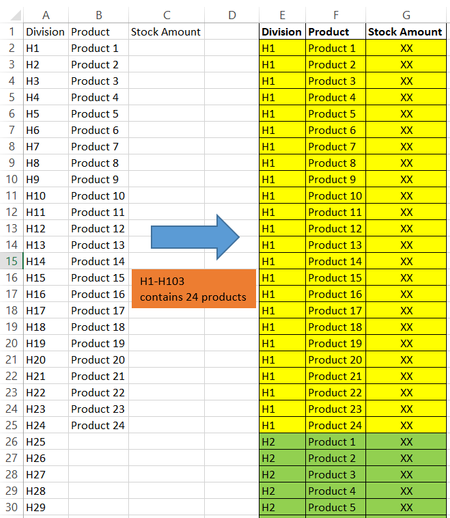
Sub division() Dim i, j, l As Long Range("E2:G1048576").Clear l = 2 For i = 2 To 104 For j = 2 To 25 Cells(l, 5).Value = Cells(i, 1).Value Cells(l, 6).Value = Cells(j, 2).Value l = l + 1 Next j Next i End SubIn the attached file you can run this macro by clicking on the button in cell I2.

Hello. Thank you once again for your help! OliverScheurich djclements
Regarding this question, could you help me with one more matter?
I have a horizontal table that stores product quantity data. The format of the table cannot be changed and the data is updated all the time. That I need another table with a vertical format. (You guys have already helped create this table.) This vertical table must pull product quantity information from the horizontal table. What formula should be used?
Note: The list of Divisions and Products may be changed, increased, or decreased.
=LET(values,DROP(Tabelle10,,1),divisions,Tabelle10[Division],products,DROP(Tabelle10[#Headers],,1),HSTACK(TOCOL(IF(SEQUENCE(,COLUMNS(products)),divisions)),TOCOL(IFNA(EXPAND(products,ROWS(divisions)),products)),TOCOL(values)))
You are welcome. Do you work with Office 365 or Excel for the web? If so you can work with a dynamic table and apply the above formula. In my example the name of the dynamic table is Tabelle10. You have to replace Tabelle10 with the name of your dynamic table.