Forum Discussion

Mailing excel sheets automatically to different recievers
 Aug 14, 2018
If you want to send email involve Info.cells(i+1,9), Info.cells(i+1,10) and Info.cells(i+1,11), you may use "&" to concatenate the strings.
.body = Info.cells(i+1,9) & chr(10) & Info.cells(i+1,10) & chr(10) & Info.cells(i+1,11)
"chr(10)" represents the line break after the content of Info.cells(i+1,9) (example).
I am not so understand your problem. Can the column "Consignee" contains other receiver information?
Moreover, I am not sure the use of "name" in outlook address book. I have some experience to send different people with different attachment. But the file is not with me at home.
You may refer to the following page:
https://www.rondebruin.nl/win/s1/outlook/mail.htm
I learn a lot from this page.
Please let me know if you want me to send you some example.
 Anıl AdaşAug 12, 2018Brass Contributor
Thanks for your attention,
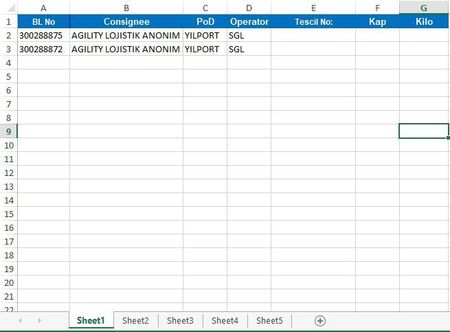
For example in Sheet1, I see AGILITY LOJISTIK ANONIM AS in Consignee column it means I need to send this excel sheet to the firm which has already recorded in my adress book at outlook as "agility"
And if you have an example sheet it can be good for me.
- Man Fai ChanAug 12, 2018Iron Contributor
You may refer to the attached file for reference.
- Anıl AdaşAug 13, 2018Brass Contributor
Your example was very helpful for me.
Is it possible to change email content for every person we sent?
Like below,
Person: a@outlook.com - Email Content: good morning Mr A..
Person: b@outlook.com - Email Content: good night Mr B...