Forum Discussion

Macro Plus and Minus Button Help
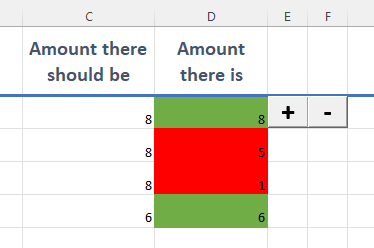

fjltbh If your buttons' increments and decrements are always integer values, I highly recommend using spin buttons instead of command buttons. For an introduction, see Microsoft documentation. Spin buttons will increment or decrement a number without having to invoke VBA code, and will automatically impose lower and upper limits to the values (although the user can overtype the cell value).
VBA code is still useful in creating and initializing the spin buttons. A better method than that documentation's sample code is shown in a series of four videos describing the process, beginning with Use Excel VBA to Create Spin Buttons
Within his code, the repetitive adding of 4 to Counter is not much of a problem, but each time that calculated value is also being converted to a string value. Better code would do the addition and conversion just once per iteration, placing the result into a String variable:
    Dim strRow  As String
    '[and later, within the For loop...]
    strRow = CStr(Counter + 4)
You do not have to set the initial value of the spin buttons to zero (or any other constant), as was done in the fourth video. You can assign the control's Value property from a cell's value before you link to it. Overall sample code:
    Dim Counter As Integer
    Dim strRow  As String

For Counter = 1 To 5
    ActiveSheet.Spinners.Item(1).Copy
    ActiveSheet.Paste

    strRow = CStr(Counter + 4)

    With Selection
        '  --   Set the position.
        .Top = Range("E" & strRow).Top
        .Left = Range("E" & strRow).Left
        '  --   Set the initial value and behavior properties.
        .Value = Range("D" & strRow).Value
        .Min = 0
        .Max = 5000 'or whatever value seems appropriate
        .SmallChange = 1
        .LinkedCell = "D" & strRow
    End With
Next Counter
FYI, the With–End With block (With statement) allows you to make multiple references to an object's properties and/or methods without having to repeat the object reference. "Selection" is a special type of object that can contain various objects, depending on the prior action of the user or VBA code.