Forum Discussion

magaines121
Dec 29, 2024Copper Contributor
Macro Not Working
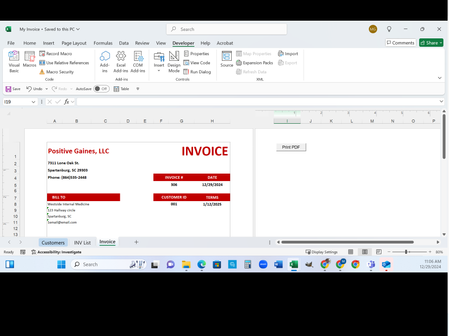
I followed along with creating an invoice that has a print to PDF button. When I run the macro, it flickers as if it is working, but no PDF is in the file. Here are screenshots that may help see th...

NikolinoDE
Dec 31, 2024Platinum Contributor
The whole code is not even visible in the pictures. If so, please show the whole code. Snipping photos are not always helpful, especially when it comes to VBA.
Nevertheless, here is a suggestion or attempt:
Sub PDF()
    Dim invoice_number As Long
    Dim customer_name As String
    Dim file_path As String
    Dim file_name As String

    ' Get values from cells
    invoice_number = Range("F5").Value
    customer_name = Range("A8").Value
    file_path = "C:\Users\magai\OneDrive\Desktop\Invoices\"

    ' Ensure the folder path ends with a backslash
    If Right(file_path, 1) <> "\" Then file_path = file_path & "\"

    ' Construct the full file name
    file_name = file_path & invoice_number & "_" & customer_name & ".pdf"

    ' Export the sheet as PDF
    On Error Resume Next
    ActiveSheet.ExportAsFixedFormat Type:=xlTypePDF, Filename:=file_name, IgnorePrintAreas:=False
    If Err.Number <> 0 Then
        MsgBox "Failed to save PDF. Please check the file path and try again.", vbExclamation
    Else
        MsgBox "PDF saved successfully at: " & file_name, vbInformation
    End If
    On Error GoTo 0
End Sub
Ensure that the OneDrive folder is synced to your local machine, the path provided (like in your macro) will work. If the OneDrive files are set to "online-only" and not synced locally, the macro might fail because it can't access the path.
I hope this could have helped you.