Forum Discussion

macro not avaliable in this workbook
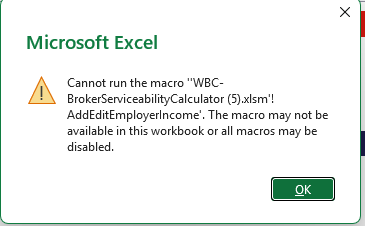

That message can mean either macros are blocked or the button points to a macro Excel can’t find. The security steps you listed address only the first possibility.
If the trusted workbook’s macros are allowed but the error remains, press Alt+F8 and look for AddEditEmployerIncome.
If it’s listed, select it and click Run. If it runs from there, right-click the worksheet button and choose Assign Macro, if available, then select the macro from the current workbook. The button may still reference an older or renamed copy.
If it isn’t listed, press Alt+F11 and check whether that procedure exists in the workbook’s VBA project. A normal button macro should be a public Sub with no required arguments in a standard module. Don’t create an empty replacement—if the code is missing, obtain a complete copy from the workbook’s author.