Forum Discussion

RGee77
Oct 05, 2023Copper Contributor
Macro no longer working
I have been using a spreadsheet that friend made a few years ago that has a macro embedded in it. This past week, Excel has updated to a newer version and now I am receiving a Run-Time error message ...
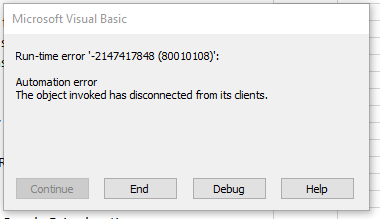

RGee77
Oct 05, 2023Copper Contributor
Thanks for the response- I replaced those lines and got a different Run-time error: '1004" Method 'Range' of object'_Global" failed.
And when I click on "Debug" the next line "Range("Table1[[#Headers],[Record ID'#]]").Select" is highlighted.
Any ideas??
And when I click on "Debug" the next line "Range("Table1[[#Headers],[Record ID'#]]").Select" is highlighted.
Any ideas??

HansVogelaar
Oct 05, 2023MVP
Since you activate another sheet immediately after that, the line
Range("Table1[[#Headers],[Record ID'#]]").Select
isn't needed. I'd either remove it or turn it into a comment by inserting an apostrophe (single quote) before it.
- RGee77Oct 05, 2023Copper Contributor
And now a this section is now highlighted:
ActiveSheet.PivotTables("PivotTable1").ChangePivotCache ActiveWorkbook. _
PivotCaches.Create(SourceType:=xlDatabase, SourceData:="Table1", Version _
:=xlPivotTableVersion15)(Sorry, I'm not really knowledgeable with the coding part of macros...)
- HansVogelaarOct 05, 2023MVP
This is going to take too long.
Could you attach a small sample workbook demonstrating the problem (without sensitive data), or if that is not possible, make it available through OneDrive, Google Drive, Dropbox or similar?