Forum Discussion

Looking for best practices or advice setting up product stocking workbook
- Oct 29, 2024
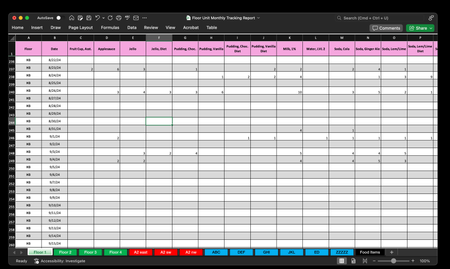
First of all, your screenshots indicate that you are using Excel for the Mac. Then you may forget about linking tables in the Data Model, as that feature doesn't exist in Excel for the Mac. Power Query may be of great help, though the look and feel is different from what you find in most on-line resources in case you seek help there. And the lack of IntelliSense in PQ for the the Mac makes it difficult to get started with if you don't already have quite some experience with PQ on the PC.
Regarding best practice for tracking the data you describe, I would say that you should consider scrapping the 'one sheet per source' approach. Create one large table with a limited number of columns. I guess that all you need is Date, Item, Qty, Location where you only enter items that have a quantity for the day and location may be on of the 7 floors or 6 departments. And don't worry about the fact that this table may become 100K rows long. Excel can handle that. From there it shouldn't be too complicated to link item quantities to their current prices (with one of various lookup functions or Power Query) and create reports (pivot tables) by location, or by item, over time or at any point in time.
But perhaps your situation is special and requires a different solution. Hard to tell if you don't share your file (link on OneDrive, Dropbox or similar).

First of all, your screenshots indicate that you are using Excel for the Mac. Then you may forget about linking tables in the Data Model, as that feature doesn't exist in Excel for the Mac. Power Query may be of great help, though the look and feel is different from what you find in most on-line resources in case you seek help there. And the lack of IntelliSense in PQ for the the Mac makes it difficult to get started with if you don't already have quite some experience with PQ on the PC.
Regarding best practice for tracking the data you describe, I would say that you should consider scrapping the 'one sheet per source' approach. Create one large table with a limited number of columns. I guess that all you need is Date, Item, Qty, Location where you only enter items that have a quantity for the day and location may be on of the 7 floors or 6 departments. And don't worry about the fact that this table may become 100K rows long. Excel can handle that. From there it shouldn't be too complicated to link item quantities to their current prices (with one of various lookup functions or Power Query) and create reports (pivot tables) by location, or by item, over time or at any point in time.
But perhaps your situation is special and requires a different solution. Hard to tell if you don't share your file (link on OneDrive, Dropbox or similar).
 Timbo735Oct 29, 2024Copper Contributor
I am using Excel for Windows on my work compute. The screen shots were done on my mac at home as a visual representation what I'm doing at work (data privacy)Riny_van_Eekelen
- Riny_van_EekelenOct 29, 2024Platinum Contributor
Timbo735 Good for you. The recommendation (i.e. my preferred approach) still stands regarding how to structure the data. Power Query is your friend. Can't really judge if the Data Model will add much.
- Timbo735Oct 29, 2024Copper ContributorThank you for the direction on the query and the best practices advice. Instead of creating a row for every day of the year ahead of time and then filling it in I am going to use the form command. This should cut the size of the worksheets down considerably.
Since I have 64 items in the inventory I'm going to add a blank column and split it into two forms. I see where the various LOOKUP commands can link my price sheet to the power query later.
I'll look into Intellisense for PQ later and If I need any help I will reach out.
I really can't explain how helpful you have been. I have a programming background but knew there was a better way than the hack I found. My bosses will be impressed.