Forum Discussion

=LEFT Function
 Mar 09, 2023
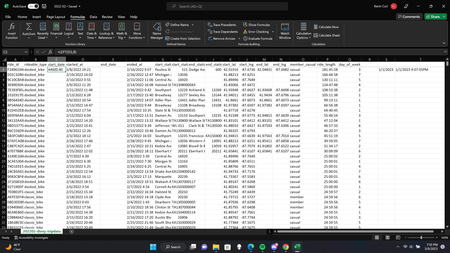
You might use the function LEFT(TEXT(D2,"m/d/yyyy hh:mm"),8).
But that is tautological. You might as well use simply TEXT(D2,"m/d/yyyy"), with the understanding that that might be 8 to 10 characters, depending on the month and day numbers.
LEFT(D2,8) does not meet your expectation because Excel date (and time) is stored as a number, not the string that you see based on formatting. Dates (or elapsed days) are the integer part, and time of day (or elapsed time) is the decimal fraction part, specifically the fraction of a (24-hour) day.
Usually (*), dates are stored as the number of days since 12/31/1899. Thus, 1/1/1900 is the integer 1.
(*) The exception is when the 1904 date system option is set, the default on Macs, IIRC. In that case, dates are stored as the number of days since 1/1/1904. Thus, ,1/2/1904 (Jan 2) is the integer 1.
You might use the function LEFT(TEXT(D2,"m/d/yyyy hh:mm"),8).
But that is tautological. You might as well use simply TEXT(D2,"m/d/yyyy"), with the understanding that that might be 8 to 10 characters, depending on the month and day numbers.
LEFT(D2,8) does not meet your expectation because Excel date (and time) is stored as a number, not the string that you see based on formatting. Dates (or elapsed days) are the integer part, and time of day (or elapsed time) is the decimal fraction part, specifically the fraction of a (24-hour) day.
Usually (*), dates are stored as the number of days since 12/31/1899. Thus, 1/1/1900 is the integer 1.
(*) The exception is when the 1904 date system option is set, the default on Macs, IIRC. In that case, dates are stored as the number of days since 1/1/1904. Thus, ,1/2/1904 (Jan 2) is the integer 1.