Forum Discussion

sadie1995
Jan 10, 2023Copper Contributor
Left file options pane will not open
I'm trying to delete hidden rows in my worksheet, but every article I've found tells me to go to file>info on the left, but I do not have any of the options. This is what it's supposed to do: ...
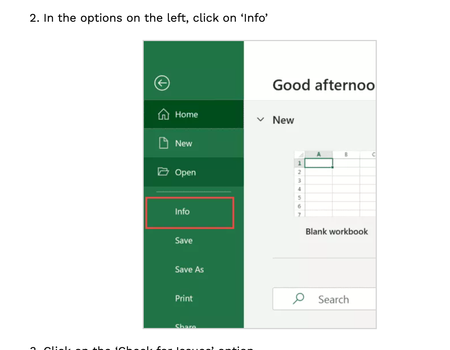

sadie1995
Jan 10, 2023Copper Contributor
Thank you so much for replying! Unfortunately the content is confidential, but basically I'm making a list of patients who prepurchased a package(series) of treatments and have yet to complete the series of treatments. I pulled the report from our scheduling software of all clients who had purchased a package and had treatments left. I wanted to narrow my list down to only one category and hid the rows of clients who had treatments of a different category. Now I want to just delete those rows and continue narrowing down my list. I should have just deleted those rows in the first place, but didn't have the foresight.

mathetes
Jan 10, 2023Gold Contributor
Based on that description, let me offer you this feedback: you're using what we could call a "brute force" way of winnowing things down. Use Excel instead. Don't alter the database itself; use it, and let Excel show you want it can do. Deleting data could end up being a mistake--what if you want to look for a different subset of patients, for example?
Assuming that there are clear ways to differentiate, to sift and sort based on entries in one or more of the columns, you can just use the filtering capability available in the Data toolbar. If you have a recent version of Excel, there's a new FILTER function that could do it for you, based on multiple criteria. Here's a video that introduces the FILTER function.