Forum Discussion

Lambda Example: Generate Fibonacci series
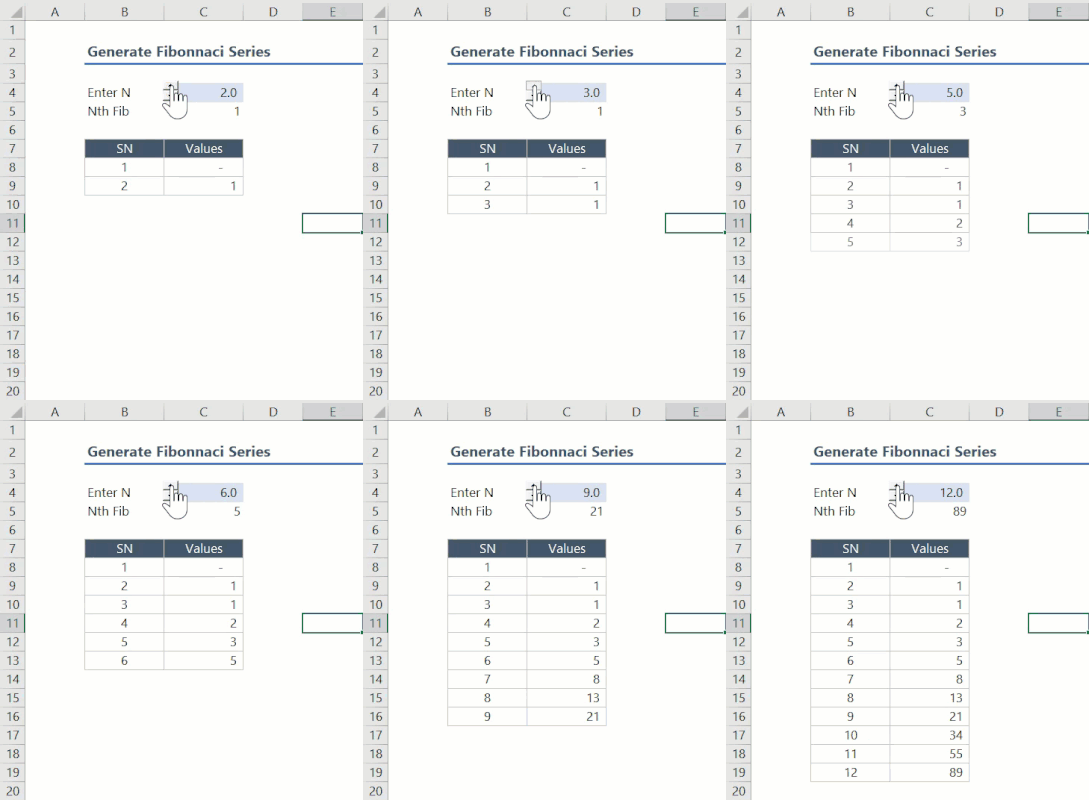

Indeed, the same Binet formula was mentioned in the original reply to Viz 's comment further down this post,
https://techcommunity.microsoft.com/t5/excel/lambda-examples-distance-between-two-cities/m-p/2035287/highlight/true#M85173
One reason to consider recursive alternatives to the Binet formula is numerical accuracy, see e.g.
https://bosker.wordpress.com/2011/07/27/computing-fibonacci-numbers-using-binet%E2%80%99s-formula/
Additionally the Fibonacci sequence provides a nice testing ground for different conceptual approaches to functional programming, Peter provides a mechanical example of this above. Another approach could be to use SCAN with an accumulator such as LAMBDA(i,IF(i,a,b)) as a means of overcoming array truncation even if this may be not as efficient, I'll try and post an example soon..

lori_m thanks for your feedback, the first link refers to another post not to any specific answer in this post that is why I was not aware of it. About the numerical accuracy, I was aware that for Python the Binet approach provides a wrong result starting from 72 fibonacci number. I checked that for this number Excel provides the correct result using Binet formula, but now looking at your link I tested more numbers and I realized that starting from 74, the result is different. I verified it https://www.programiz.com/python-programming/online-compiler/ using the following python approach that is really fast:
import math
def fibo(n):
    a, b = 0, 1
    for i in range(n):
        a, b = b, a + b
    return a
print(fibo(74))
But the problem is not the numerical precision of the approximate method. I tested the second formula of my post, which doesn't involve a numerical calculation other than addition:
FIBO = LAMBDA(n,REDUCE({1;1},SEQUENCE(IF(n<=2,1,n-2)),
LAMBDA(ac,a, IF(n<=2,1,LET(x_1,TAKE(ac,1),x_2,DROP(ac,1),
IF(a=(n-2),x_1+x_2, VSTACK(x_2, x_1+x_2)))))))
and for 74 and returns: 1304969544928660, but the Python formula returns 1304969544928657 and we are not close to the https://support.microsoft.com/en-us/office/data-types-in-data-models-e2388f62-6122-4e2b-bcad-053e3da9ba90 number 9223372036854780000
Thanks,