Forum Discussion

issue stop resizing cell and slicer
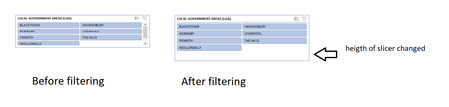

Riny_van_Eekelen Hi, I face a similar issue with my file.
For my case, my file is stored in OneDrive/SharePoint and shared with other users for co-authoring. The issue happened when someone trying to apply the slicer in Exel Online, then it will cause the slicer in Excel App to auto resize.

Is there a fix for this? I also store a file in OneDrive and allow users to use it, but the slicers are disabled and file protected so I know they are not doing anything but using the slicers, and somehow, even when downloaded and opened locally, the slicers shrink slightly. The changes are the same every time, just slightly smaller slicers by height than my master copy saved locally. I think the Excel web app is reformatting, not the users. Wondering if there is a setting in 365 to stop this.