Forum Discussion

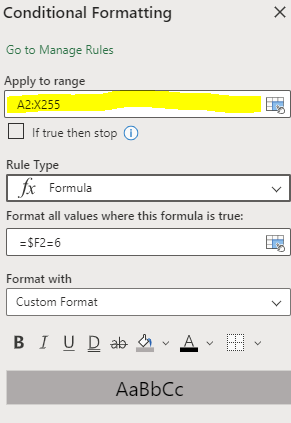
Is there a way to set a static range for conditional formats on Excel for Web?
- May 17, 2023
As far as I'm aware, Excel for the web doesn't provide a built-in feature to set a static range for conditional formats. If you move or change data within the range, the range will automatically adjust to the conditional formatting rules.
One possible workaround you can try is to use a VBA (Visual Basic for Applications) macro to apply and maintain the conditional formatting with a static range. However, please note that VBA macros are not supported in Excel for Web. They can only be used in the desktop version of Excel.
If you need to maintain a static range for conditional formatting in Excel for Web, you may consider using the desktop version of Excel. The desktop version offers more advanced features and customization options compared to the web version.

As far as I'm aware, Excel for the web doesn't provide a built-in feature to set a static range for conditional formats. If you move or change data within the range, the range will automatically adjust to the conditional formatting rules.
One possible workaround you can try is to use a VBA (Visual Basic for Applications) macro to apply and maintain the conditional formatting with a static range. However, please note that VBA macros are not supported in Excel for Web. They can only be used in the desktop version of Excel.
If you need to maintain a static range for conditional formatting in Excel for Web, you may consider using the desktop version of Excel. The desktop version offers more advanced features and customization options compared to the web version.
 Lachlan1530May 17, 2023Copper Contributor
Thanks for the response. Unfortunately, the workbook was migrated to the web so we could maintain a live updated version, and we have not been able to do this with the desktop version.
Seems like I'll have to go test out Google Sheets.