Forum Discussion

marinamos
May 10, 2022Copper Contributor
Index Match #NA error
Hi! Hope you can help me... I use office excel 2019 (so use ctrl+shift+enter to enter my index match formula). I have 3 array sheets as reference and 25 product sheets with the exact sam...
- May 10, 2022
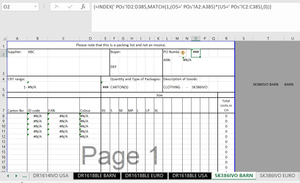
=LEFT(T5,9) returns "SK386IVO ", with a space at the end. The POs sheet has "SK386IVO" without a space.
If you change the formula to =TRIM(LEFT(T5,9)) to remove the trailing space, it'll work.

marinamos
May 10, 2022Copper Contributor
HansVogelaar sorry for that, I gave full access now, maybe now it works? 😕
https://docs.google.com/spreadsheets/d/1H8rV29DZKWEWR9NXHNrzzwUI_c9pjxyA/edit?usp=sharing&ouid=112757543183169338601&rtpof=true&sd=true
Thanks a lot

HansVogelaar
May 10, 2022MVP
=LEFT(T5,9) returns "SK386IVO ", with a space at the end. The POs sheet has "SK386IVO" without a space.
If you change the formula to =TRIM(LEFT(T5,9)) to remove the trailing space, it'll work.
- marinamosMay 10, 2022Copper ContributorThank you very much Hans!! I will use trim going forward, sooo useful, big big thanks