Forum Discussion

INDEX and IF to show value from project plan
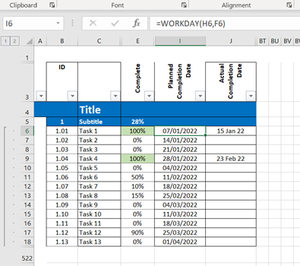
- Feb 23, 2022
In B6:
=FILTER('Project Stage Plan'!C6:C520,'Project Stage Plan'!J6:J520-DAY('Project Stage Plan'!J6:J520)=TODAY()-DAY(TODAY()),"")
In C6:
=FILTER('Project Stage Plan'!C6:C520,('Project Stage Plan'!I6:I520<TODAY())*('Project Stage Plan'!E6:E520<100%),"")
In D6:
=FILTER('Project Stage Plan'!C6:C520,('Project Stage Plan'!I6:I520>=TODAY())*('Project Stage Plan'!I6:I520<=TODAY()+14)*('Project Stage Plan'!E6:E520<100%),"")

These work perfectly, thank you.
Can you help me understand B6:
=FILTER('Project Stage Plan'!C6:C520,'Project Stage Plan'!J6:J520-DAY('Project Stage Plan'!J6:J520)=TODAY()-DAY(TODAY()),"")
Which part of the formula defines the date range?
It's currently correctly pulling out everything completed in Feb. If send this report at the end of March for example, will it automatically look at March or do I need to update a part of the formula?
So for example it should be from the first day of the current month to the last day of the current month.
Thank you

The formula will always look at the current month: February of 2022 now, March of 2022 next month, etc.
The "trick" is using date-DAY(date). This returns the last day of the month before date.
So 'Project Stage Plan'!J6:J520-DAY('Project Stage Plan'!J6:J520 returns the last day of the month before each completion date, and TODAY()-DAY(TODAY()) returns the last day of the month before the current date. If these are equal, the dates are in the same month.