Forum Discussion

Import Data from Excel Online to Excel (offline)
- Dec 17, 2018
From terminology point of view - there are no excel online files and excel native files. There are only excel files which you may access from Excel online web app (and in this case it shall be on OneDrive or Sharepoint) or from Excel desktop app.
Generated by Microsoft Forms file is on OneDrive by default, you may pick-up the table from that file (and transform as necessary) by Power Query using Excel desktop app from within the file located at any place. The only you need is the connection to you OneDrive. If you share that file with other people you also need to share the OneDrive file with these people to give them possibility to refresh the data.


Sergei,
Understood. I believe the process you outline is what I followed (stumbled through) originally. I had both files saved on my OneDrive, and I added the data using Data > Get Data > From File > From Workbook. Everything works fine on the machine where I imported/linked that data. However, If I open that .xlsm file on another machine, or share it with another user, they cannot refresh the data because the source is not found.
Is there a way to use relative paths with the data source? When I open the .xlsm file on my other computer, with a different username, the source fails to load because the data source is using absolute paths, which points to my synced folder on OneDrive.
Is there a workaround for that? I apologize if I am understanding this concept incorrectly.
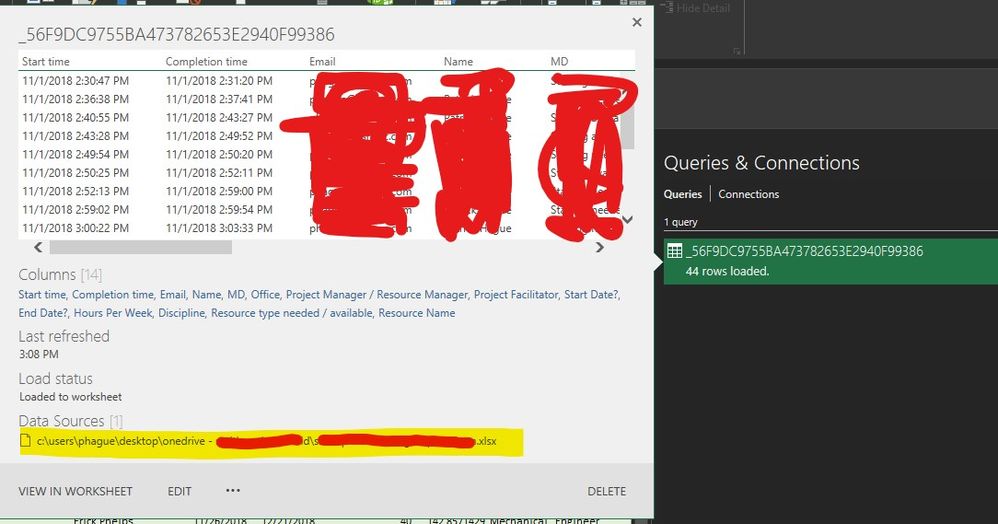
I believe I have solved my problem. I'm not sure if it was the proper way, but I was able to grant access to both myself on a different machine, and another user on his machine (using Office 2010 w/ the power query plugin). What I did:
1. Open Data > Queries & Connections
2. Right click my query and click edit.
3. In the power query editor window, click Advanced Editor
4. Modified the source parameter value to Excel.Workbook(Web.Contents("the sharepoint address of the file").
That seemed to work for me. Please let me know if there is a better way!
Thanks all.
- SergeiBaklanJun 13, 2020Diamond Contributor
What exactly doesn't work?
 mgouveiaJun 13, 2020Copper ContributorSo, my excel was telling the access was forbidden, but I found that my connections weren't loged to my SharePoint account (witch was unexpected to me because in the account settings of excel it was showing my SharePoint connection), and it was configured to connect anonymously.
In the end I finally could import from the excel online, but I actually used the web import tool, not changing the query path. But I think the problem was the same...
The connection configuration.
And now I might be able to do it both ways.
Thank you for your time!!!
- SergeiBaklanDec 17, 2018Diamond Contributor
Yes, exactly, finally that will be Excel.Workbook(Web.Contents("https://...). But you may use From File->From Workbook connector if select cloud path instead of local one