Forum Discussion

gretacristina
Aug 17, 2022Copper Contributor
IF, AND, OR HELP
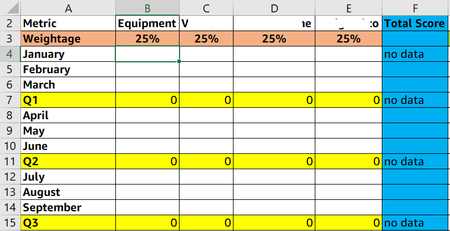
Hello team! I'm trying to create a formula for the following situation: In cell B4 (capture 1) I want to display a mark from 1 to 5, on the following conditions: 5 - over 80% 4 - 70-80% 3 - ...
 Aug 18, 2022Please modify with simple formula like,
=IF(B2="JULY",IFS(G2>=80,5,G2>=70,4,G2>=60,3,G2>=50,2,G2<50,1,TRUE,"No Data"))
Incase of percentage you can add percentage symbol or 0.XX Decimal in the formula.
Greater than and equal to 80% is 5 and Less than 50 is 1,
Please do remember inverted commas "" is applicable only to text not number.
sivakumarrj
Aug 18, 2022Brass Contributor
Please modify with simple formula like,
=IF(B2="JULY",IFS(G2>=80,5,G2>=70,4,G2>=60,3,G2>=50,2,G2<50,1,TRUE,"No Data"))
Incase of percentage you can add percentage symbol or 0.XX Decimal in the formula.
Greater than and equal to 80% is 5 and Less than 50 is 1,
Please do remember inverted commas "" is applicable only to text not number.
=IF(B2="JULY",IFS(G2>=80,5,G2>=70,4,G2>=60,3,G2>=50,2,G2<50,1,TRUE,"No Data"))
Incase of percentage you can add percentage symbol or 0.XX Decimal in the formula.
Greater than and equal to 80% is 5 and Less than 50 is 1,
Please do remember inverted commas "" is applicable only to text not number.
- gretacristinaAug 18, 2022Copper ContributorIt worked! Thank you so much!
