Forum Discussion

alp9423
Aug 02, 2022Copper Contributor
IF AND Formula help
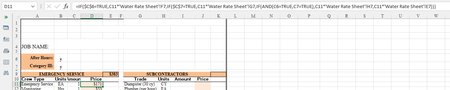
My formula is not working... IF both C6 & C7 are TRUE (meaning B6 & B7 contain text "y") then I want the formula to pull in the number from cell H7 in the Water Rate Sheet. How can I fix the formula ...

alp9423
Aug 02, 2022Copper Contributor
Thank you for the suggestion!
Yes, they work individually but not when I combine them in the formula, so my syntax must be wrong and it's just not obvious to me what is the error:
=IF($B$6="y",C11*'Water Rate Sheet'!F7,
IF($B$7="y",C11*'Water Rate Sheet'!G7,
IF($B$6="y",IF($B$7="y",C11*'Water Rate Sheet'!H7,
C11*'Water Rate Sheet'!E7))))

HansVogelaar
Aug 02, 2022MVP
The problem with your formula is that if B6 equals "y", the first condition is true, so the formula returns C11*'Water Rate Sheet'!F7 and ignores the rest, so the part IF($B$6="y",IF($B$7="y" is not evaluated.
The formula that I posted takes care of that. (Please note that it is a single formula)
- alp9423Aug 02, 2022Copper ContributorHansVogelaar
Brilliant!! It works just like you said. I was definitely over complicating things.
100 Thank You's! 🙂