Forum Discussion

how to sort rows based on content within column A
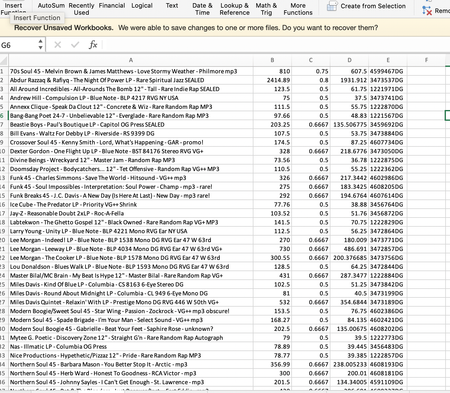

orivious hello there,
You could add a formula column, Table your data, then summarize with PivotTables to separate them out if you'd like. Or better yet, keep all the data in a single PivotTable and add a slicer by type. It would require an additional column to be added adjacent to your data, so I'm assuming in F1 copied down until the end of your data set.
=IF(ISNUMBER(FIND("LP",A1)),1,IF(ISNUMBER(FIND("12""",A1)),2,IF(ISNUMBER(FIND("45",A1)),3,0)))
If you wanted to return text identifiers instead of numerical, you could change it to:
=IF(ISNUMBER(FIND("LP",A1)),"LP",IF(ISNUMBER(FIND("12""",A1)),"12""",IF(ISNUMBER(FIND("45",A1)),"45",0)))
Table your data by selecting your data range, going to Insert > Create Table from Selection. Ensure you do not check 'my table has headers'. Then from the Table Design tab, click 'Summarize with PivotTable'. Drag 'Column 1' to the Rows area. If the other values are desired, add them to the Rows area to show values, or the Values area to aggregate them (i.e. SUM, AVERAGE, etc.). Finally, either Insert Slicer for 'Column 7' or add that field to the Filters area.