Forum Discussion

How to merge / mix colors of 2 conditonal formatted matrices in the 3rd matrix?
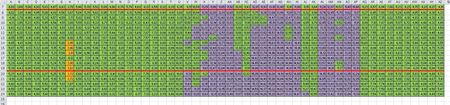
Thank you for your answer.
Yes, I guess that is the end limit of the Conditional formatting possibilities, and in this case it will not work, because I'm combining different incompatible numerical values - sheet1 is temperature and sheet2 is a coeficient based on one other formula. At the end I'm trying to group results as a color combination of their limits.
Well in that case, VBA is the only way to get further in this case.
Any help in this forum will be appreciated.
Thank you one more time.

In general that's the limit of formulas, not of conditional formatting. On the other hand if you already have rules in Sheet1 and Sheet2 the only what you need is combine them in one formula for the Sheet3 with AND condition.
If, for example your temperature rule
A1 is RED <if A1 >=30>
and coefficent rule
A1 is YELLOW <if A1 <0.5>
when the BLUE rule for Sheet3
=(Sheet1!A1>=30)*(Sheet2!A1 < 0.5)
- DeletedOct 12, 2017Not applicable
Thank you very much, Sergei !
It's impressive, effective and more easier solution than I was trying to figure out.
I'm now testing and works perfectly for this case. I simply have never used before and empty cell with combining formulas to get the color match, and Conditional Formatting continues to work great in this case.
Thanks one more time and all the best !
- SergeiBaklanOct 12, 2017Diamond Contributor
You are welcome