Forum Discussion

anupambit1797
Jun 11, 2025Steel Contributor
How to get the details on the Headers from PDF
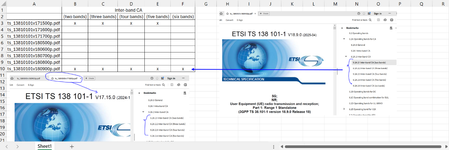
Dear Experts, In all Attached PDFs, in chapter 5, there's a section of inter-band CA, which I am interested in a format like below:- How to achieve this ? Thanks in Advance, ...
- Jun 15, 2025
With data model we need
- first add another table with unique file names
- Set relationships between it and main table
3. Create new measure as
Bands count:=COUNTA( Table1[Inter band CA(num)] ) + 0Please not, we plus zero to convert blanks to numbers
4. Add KPI to that measure
5. Create PivotTable using
With that icons also will be in totals as well.
Perhaps it's easier to do everything with Power Query
let
    Source = Excel.CurrentWorkbook(){[Name="Table1"]}[Content],
    DeclareType = Table.TransformColumnTypes(
        Source,
        {
              {"File Name", type text}
            , {"Section Number", type text}
            , {"Inter band CA(num)", type text}
        }),
    NameForEmpty = Table.ReplaceValue(
        DeclareType, "", "band",
        Replacer.ReplaceValue,{"Inter band CA(num)"}),
    CountBands = Table.Pivot(
        NameForEmpty,
        List.Distinct(NameForEmpty[#"Inter band CA(num)"]), "Inter band CA(num)",
        "Section Number", List.Count)
in
    CountBands
pivoting inside. With that we have structured table to whic we may apply usual conditional formatting


JKPieterse
Jun 13, 2025Silver Contributor
Use Data, Get Data, From File, From Folder. Then click "Transform data". Start by filtering the files so only the ones you are interested in remain in the list. Then click the little Expand icon in the header bar to the right of the "Content" label. Continue from there. See: https://www.youtube.com/watch?v=C6vqy30PDnE