Forum Discussion

How to get the details on the Headers from PDF
- Jun 15, 2025
With data model we need
- first add another table with unique file names
- Set relationships between it and main table
3. Create new measure as
Bands count:=COUNTA( Table1[Inter band CA(num)] ) + 0Please not, we plus zero to convert blanks to numbers
4. Add KPI to that measure
5. Create PivotTable using
With that icons also will be in totals as well.
Perhaps it's easier to do everything with Power Query
let
    Source = Excel.CurrentWorkbook(){[Name="Table1"]}[Content],
    DeclareType = Table.TransformColumnTypes(
        Source,
        {
              {"File Name", type text}
            , {"Section Number", type text}
            , {"Inter band CA(num)", type text}
        }),
    NameForEmpty = Table.ReplaceValue(
        DeclareType, "", "band",
        Replacer.ReplaceValue,{"Inter band CA(num)"}),
    CountBands = Table.Pivot(
        NameForEmpty,
        List.Distinct(NameForEmpty[#"Inter band CA(num)"]), "Inter band CA(num)",
        "Section Number", List.Count)
in
    CountBands
pivoting inside. With that we have structured table to whic we may apply usual conditional formatting


Thanks DashiellCove , but with this Approach :
Use Excel's data → Get Data → from the file → from the PDF function
it will restrict to only 1 File, I have say >10 files , and this will then add 10 more steps, any idea to merge them? I used Use Excel's data → Get Data → from the Folder(rather file) After this what can be the best approach to achieve this?
Br,
Anupam
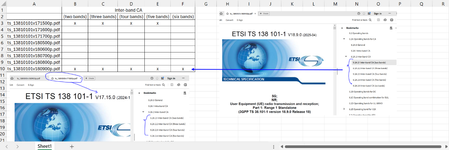
Also, DashiellCove , I can find this header in 1st file, and can see Tables or Pages, but not the headers ..