Forum Discussion

nkp
Jan 08, 2026Copper Contributor
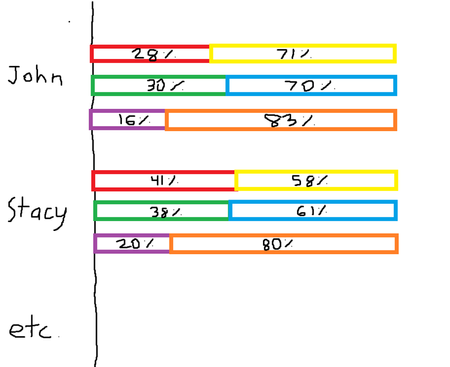
How to create a multi-tiered percentage-based bar chart?
Hello, I would like to create a multi-tiered percentage-based bar chart based on the data found below (test data evidently). Column B and C add up to 100%, Column D and E add up to 100%, and lastly ...

PeterBartholomew1
Jan 10, 2026Silver Contributor
The essential characteristic of the replies you have received is that the data needs to be unpivoted in order to plot it. This can be done using PowerQuery or by formula.
= LET(
    wrapped, WRAPROWS(TOCOL(data),2)/100,
    name,    TAKE(WRAPROWS(TOCOL(IF(data, Tabelle1[Employee])),2),,1),
    hdr,     TAKE(WRAPROWS(TOCOL(IF(data, header)),2),,1),
    HSTACK(name, hdr, wrapped)
  )
If you include the attribute names in the chart data then the presentation can be labelled more meaningfully.