Forum Discussion

nkp
Jan 08, 2026Copper Contributor
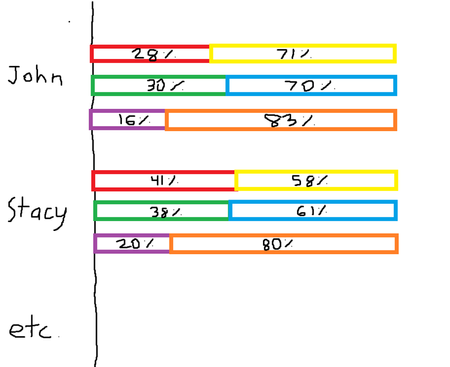
How to create a multi-tiered percentage-based bar chart?
Hello, I would like to create a multi-tiered percentage-based bar chart based on the data found below (test data evidently). Column B and C add up to 100%, Column D and E add up to 100%, and lastly ...

IlirU
Jan 10, 2026Iron Contributor
Hi,
In cell I2 I have applied this formula:
=HSTACK(TEXTSPLIT(TEXTJOIN("",, REPT(A2:A5 & ",", COLUMNS(B2:G5) / 2)),, ",", TRUE), WRAPROWS(TOCOL(B2:G5), 2))I then selected cells I2:K13 and in the Insert Chart window I chose Bar (see the screenshot above).
Hope this helps.
IlirU